
Create a Work Order
- Click Add Work Order.
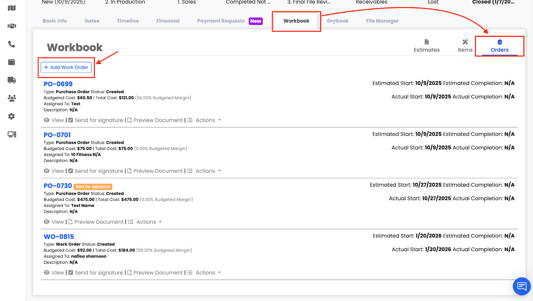
-
- Date
- Order Number
- Assignee
- Staff
- Relationships
You can: Add an existing relationship by selecting a contact or organization already in your database, or Create a new Contact or Organization directly from the order if the relationship does not yet exist.
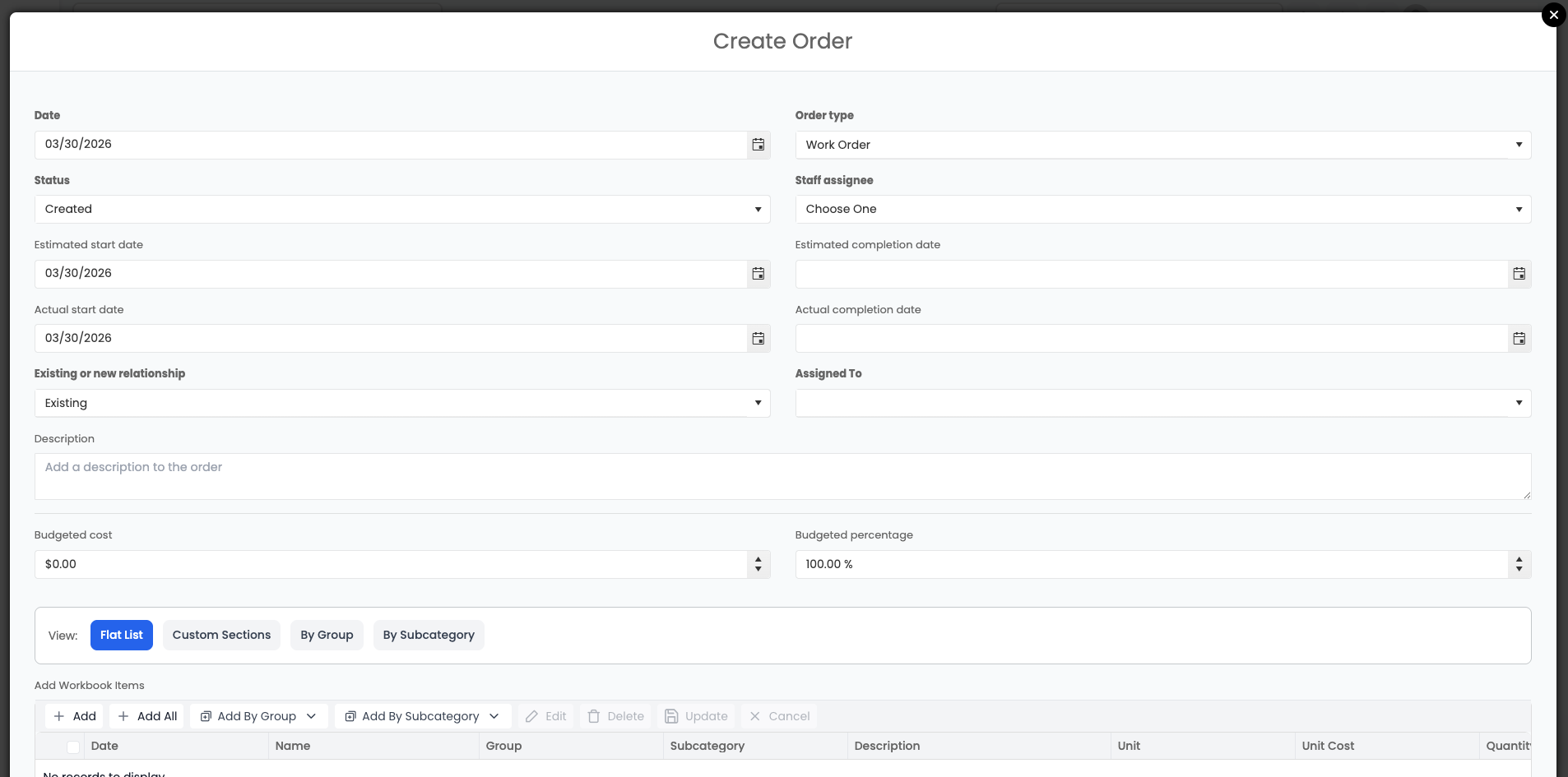
3. Add Workbook Items to the Work Order
When creating a Work Order, you can choose how items are added:
- Add by Group – Select specific groups from the Workbook to include only items within those groups
- Add All Items – Add every available item from the Workbook list at once
- Add by Subcategory – Select specific subcategories to include only items within those subcategories
- Select Individual Items – Manually choose specific items
Learn More about Work Order Sections