
The Scheduler in Albi is your central calendar for managing all project-related events, team assignments, and day-to-day scheduling. It allows you to visually organize events, track staff availability, and manage unassigned events—all in one place. Events created here automatically sync to related projects and notify the assigned team members.
How to Access the Scheduler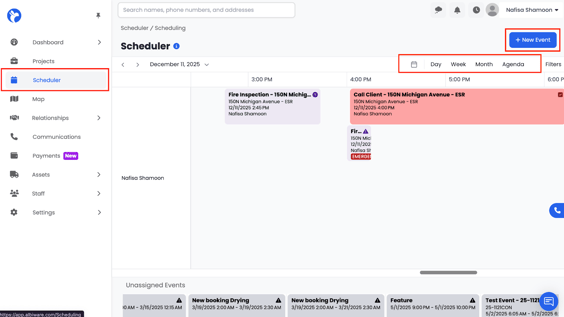
To open the Scheduler:
- Go to the left navigation menu.
- Click Scheduler
The Scheduler will open in Day, Week, Month, or Agenda view depending on what you choose.
Note:
- Events assigned to a Required staff member trigger an email notification.
- Unassigned events stay at the bottom panel until they are moved to the scheduler.
- Editing an event updates it instantly on all synced project pages.
- Event categories and tags help your team quickly identify the type and importance of each event.