
The Financials tab contains all financial activity related to the project. This includes your revenue, invoices, payments, credits, expenses, and other financial indicators. It serves as the financial command center of the project, providing a complete breakdown of all billing, revenue, and cost information in one place.
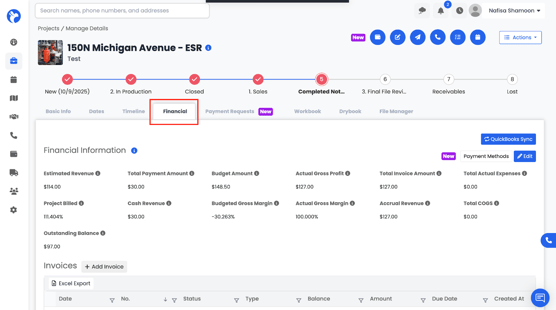
At the top of the Financials tab, you will see key financial metrics such as:
- Estimated Revenue
- Project Billed
- Outstanding Balance
- Total Payment Amount
- Budget Amount
- Actual Revenue
- Annual Gross Profit
- Actual Gross Margin
- Budgeted Gross Margin
- Total Invoice Amount
- Total Actual Expense
- Total COGS (Cost of Goods Sold)
Albi may allow you to directly edit certain financial figures depending on your company’s permissions and workflow settings.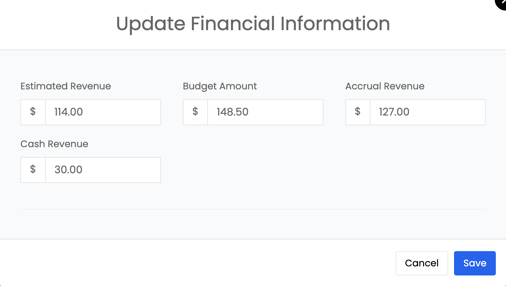
Below these metrics, you will find detailed sections for invoices, payments, credits, sales receipts, bank deposits, and expenses.