
Drylog Overview
Drylog allows you to record all site-related information for a project, track progress, document affected areas, log equipment usage, add visit notes, and generate detailed reports. Drylog helps ensure compliance, supports insurance documentation, and keeps your team aligned on the condition of the site throughout the process.
Drylog is divided into six main sections:
- Site
- Chambers
- Moisture Points
- Equipment
- Visits
- Progress
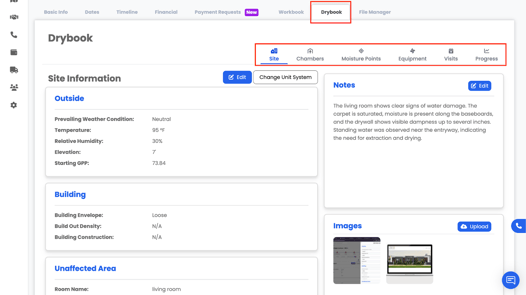
These sections work together to provide a complete, time-stamped record of the process from the initial visit to the final report.
How to Access Drylog
- Go to the Projects tab.
- Open the project you want to work on.
- Click the DryBook tab in the project navigation bar.
The first time you open DryBook on a project, you’ll be asked to Create Drylog.
Creating a Drylog
When you click Create Drylog, Albi will initialize the Drylog structure for that project.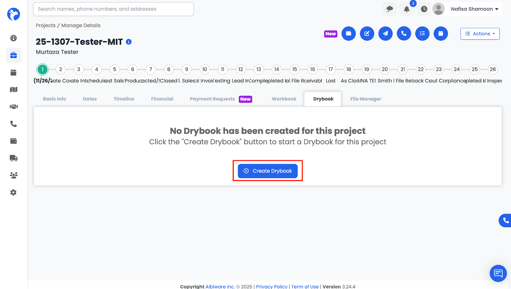
After that:
All six sections — Site, Chambers, Moisture Points, Equipment, Visits, Progress — will become available.