
What is Drylog?
Drylog is the part of a project used to document, organize, and track all drying and mitigation activity for a job. It is designed specifically for water damage, emergency services, and restoration projects, where accurate environmental data and clear documentation are critical.
Drybook acts as a digital drying log. Everything related to:
- Site conditions
- Affected and unaffected areas
- Room layouts
- Equipment placement
- Moisture readings
- Site visits
- Drying progress
is recorded and stored here.
Drybook information is often used for:
- Internal decision-making
- Technician handoffs
- Progress monitoring
- Insurance documentation
- Final project reports
Accessing Drylog
- Open a project
- From the project dashboard, tap Drylog
- You will be taken to Drylog Home, which is the starting point for all drying-related documentation
What is in the Drylog?
Drylog Home is the central navigation screen for all drying data within a project. It organizes the drying workflow into logical sections that mirror how work happens on site.
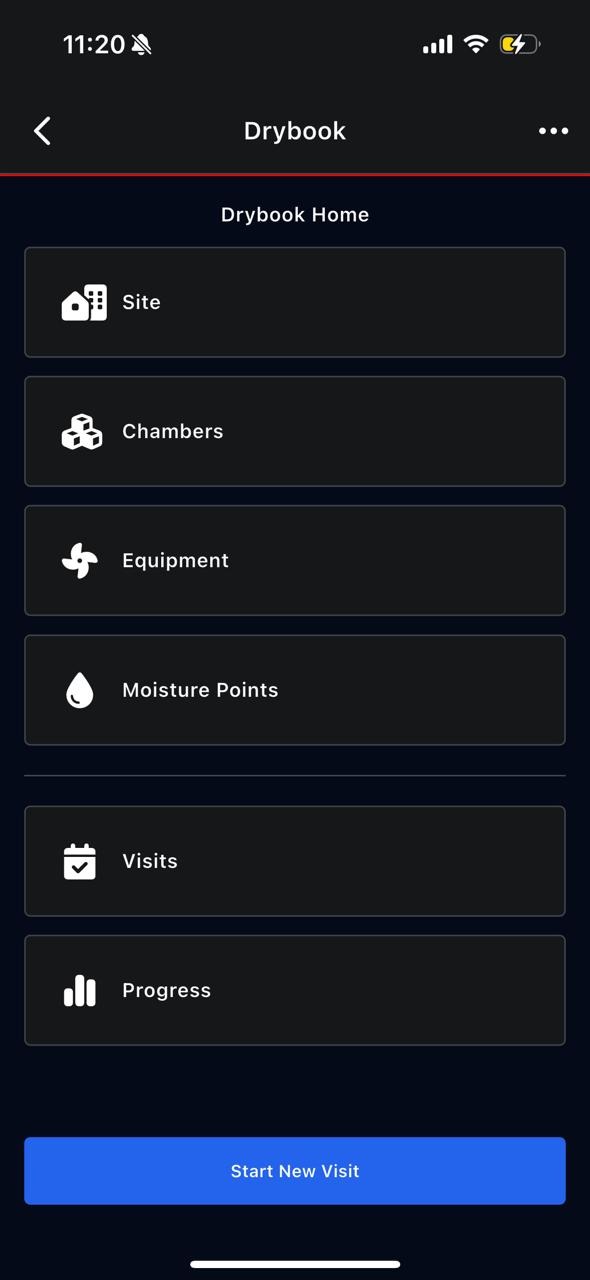
From Drylog Home, you can access:
- Site
- Chambers
- Equipment
- Moisture Points
- Visits
- Progress