Project Actions Menu
The Actions dropdown gives you additional project-level controls that allow you to manage the lifecycle of the project. Each option opens its own form or confirmation window.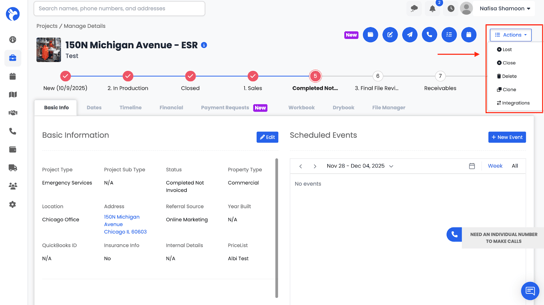
Mark as "Lost"
Allows you to mark the project as “Lost.”
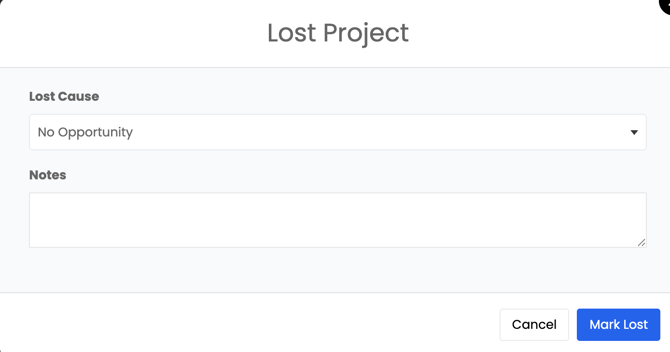 A form will open where you can select a Lost Cause (configured in Project Settings) and add optional notes explaining why the project was lost.
Close Project
Closes the project entirely.
This is used when the job is fully completed.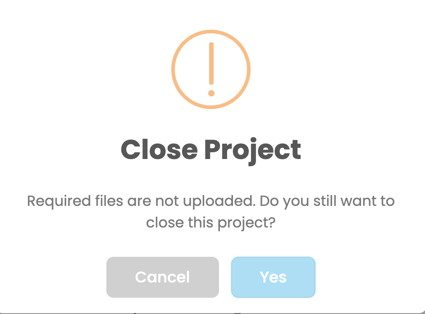
A confirmation message will appear before closing.
Duplicate Project
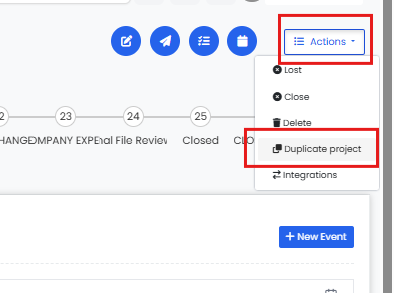
Duplicate Project lets you create a new project from an existing one in a single step. It is built for the common situation where a client has a second project of a different type at the same property — the new project keeps the core identity of the original (client, address, date of loss, and any project relationships) while starting fresh on status and financials.
Delete Project
Deletes the project from the system.
A confirmation window will appear to prevent accidental deletion.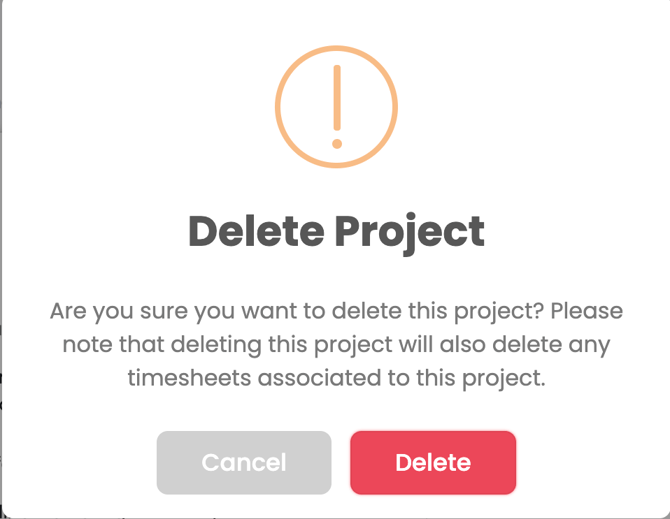
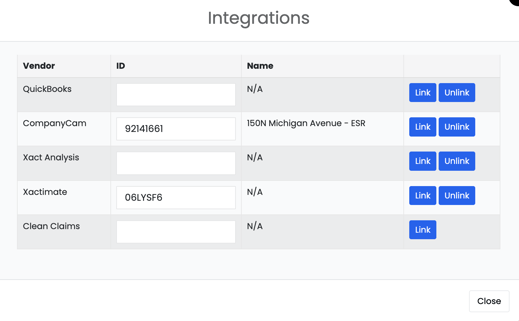
Integrations
Opens the menu where you can link or manage integrations related to this project (for example, QuickBooks, Xactimate, or other connected platforms depending on your company’s setup).