
The Assets section in the Albi mobile app is used to manage and track your company’s equipment and vehicles. It allows field and office staff to quickly see what assets exist, their current status, and key details about each item.
Assets help ensure that:
- Equipment and vehicles are properly tracked
- Availability is clearly visible
- Broken or repair-needed items are identified quickly
- Staff can easily locate and use the right resources on-site
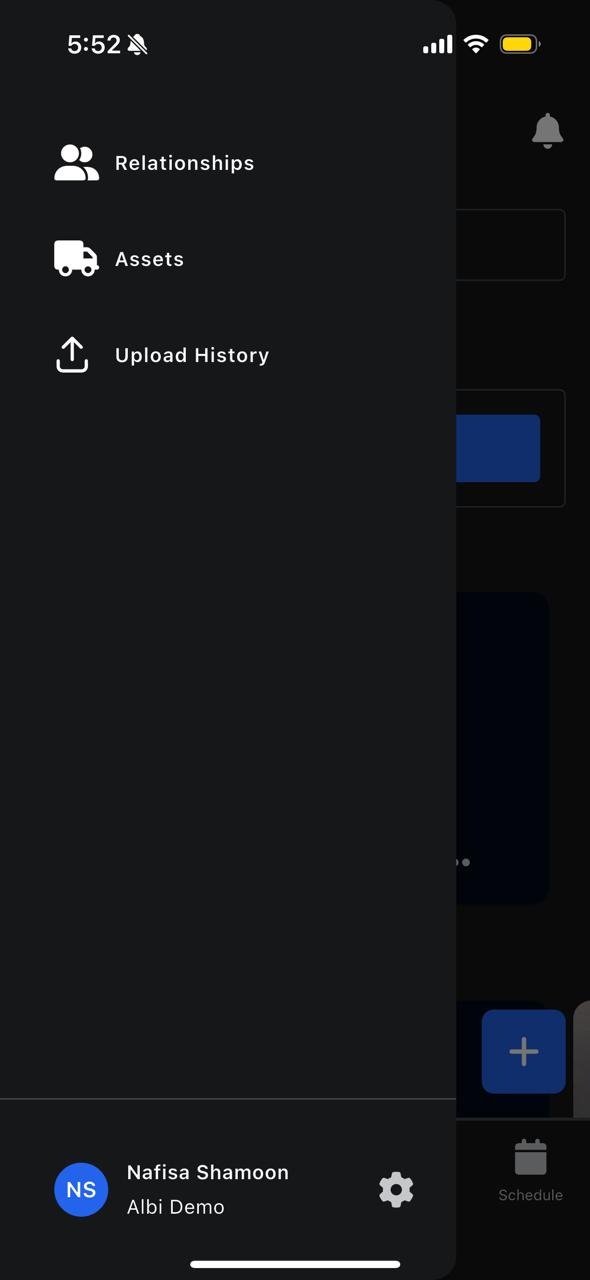
You can access Assets from the hamburger (side) menu
What Are Assets?
Assets are physical items owned or managed by your company that are used during projects. In Albi, assets are divided into two categories:
- Equipment
- Vehicles
Each asset has its own record that includes details, status, and usage information.
What Is a Vehicle?
Vehicles represent company-owned transportation used for work, such as: Vans, Trucks, Cars
Vehicles are tracked to ensure availability and proper assignment.
Viewing Vehicles
To view vehicles:
- Open the hamburger menu
- Tap Assets
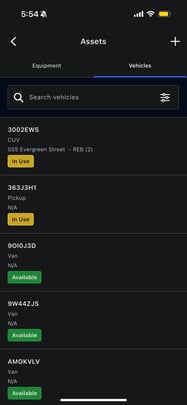
- Select Vehicles
You will see a list of vehicle cards.
Searching for Vehicles
You can use the search bar to quickly find a specific vehicle based on name.
This is helpful when managing a large fleet.
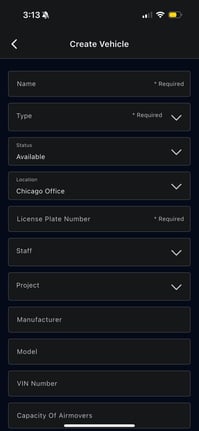
Adding a Vehicle
You can add a new vehicle directly from the Vehicles section.
How to Add a Vehicle
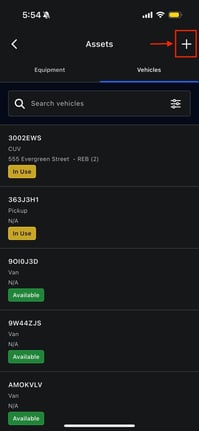
- Tap the + Add button
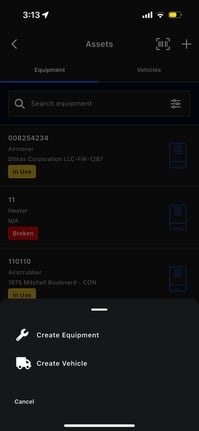
- Select Add Vehicle
- Fill in the required vehicle information
- Tap Save
Vehicle Statuses
Just like equipment, vehicles can have different statuses, such as:
- Available
- In Use
- Broken
- Repair
Updating vehicle statuses ensures staff know which vehicles are ready for use and which are not.