
How to Access Project Settings
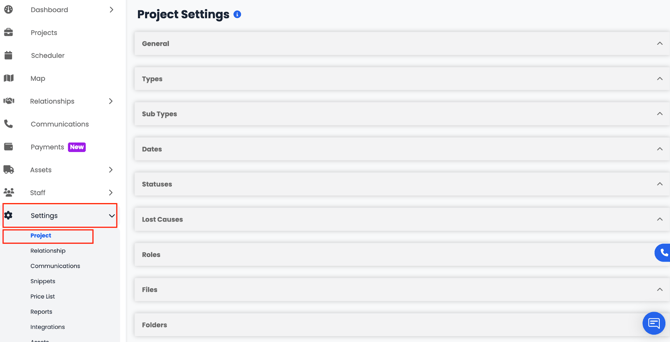
To access your Project Settings in AlbiWare:
- Go to the Settings tab from the left-hand menu.
- Under the section, select Project Settings.
- The Project Settings page will open, displaying several cards such as General, Types, Subtypes, Dates, Statuses, Lost Causes, Roles, Files, Folders, and Moisture Content Material Types each serving a different purpose:
From here, you can customize each setting to match your company’s workflow — defining project structures, automation, and organization preferences that will apply across all your jobs.
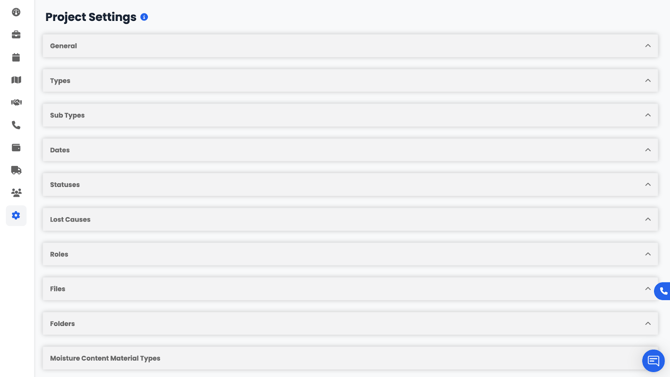
- General – Basic project configuration and default settings.
- Types – Define the different types of projects your company handles eg contents, mitigation, fire etc.
- Subtypes – Add more specific categories under each project type.
- Dates – Manage important project-related date fields.
- Statuses – Set up and customize the various status options for project tracking.
- Lost Causes – Identify and categorize reasons for lost projects or leads.
- Roles – Create and manage the roles that can be assigned to staff members on projects
- Files – Control how files are managed and stored within projects.
- Folders – Organize project files using custom folder structures.
- Moisture Content Material Types – Define and manage the material types used for moisture readings and restoration tracking within the Drybook.
By customizing your Project Settings, you can standardize how projects are created, managed, and tracked — ensuring consistency and efficiency across your entire team.