
Estimate Display Options (PDF Settings)
When creating or editing an estimate in Albi, you’ll see several display options that control how your estimate appears on the PDF sent to the customer. These options do not change your pricing or calculations — they only affect what is visible on the estimate document.
Display Line Item Amounts on Estimate PDF
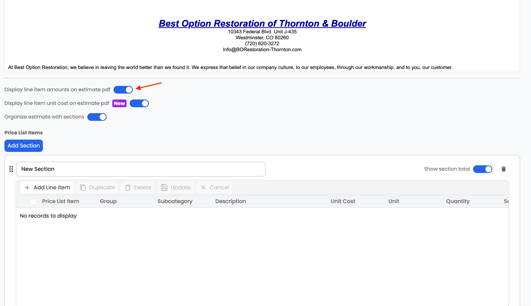
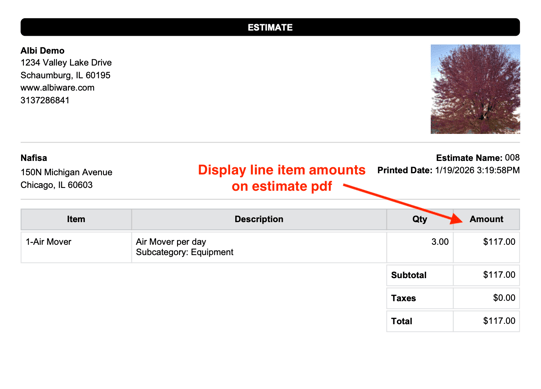
When this option is enabled:
- Each line item will show its total amount on the PDF
- Example:
- Air Mover – 3 days → $150
When disabled:
- Line items will still appear, but total dollar amounts will be hidden
Display Line Item Unit Cost on Estimate PDF
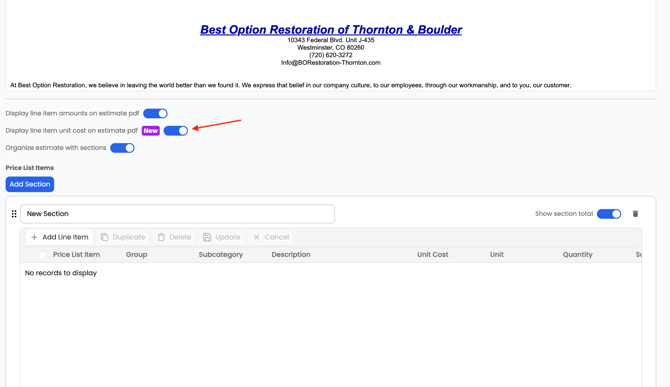
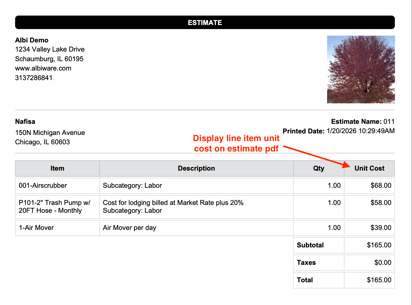
When this option is enabled:
- The unit cost for each item will appear on the PDF
- Example:
- Air Mover – $39 per day
When disabled:
- Unit pricing will be hidden, even though totals may still show
Organize Estimate with Sections
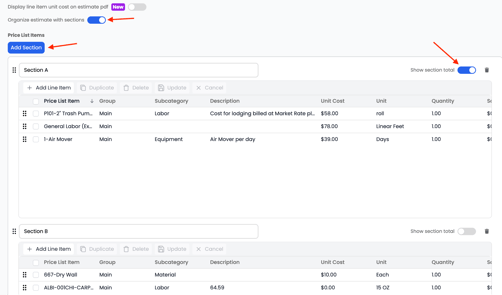
When enabled:
- Line items will be grouped into sections (also called groups)
- Sections are automatically pulled in from:
- Imported estimates (Xactimate, CSV, PDF)
-
- Manually created estimate groups
- This helps keep the estimate clean, organized, and easier to read
Show Section Totals
This option only applies when estimates are organized by sections.
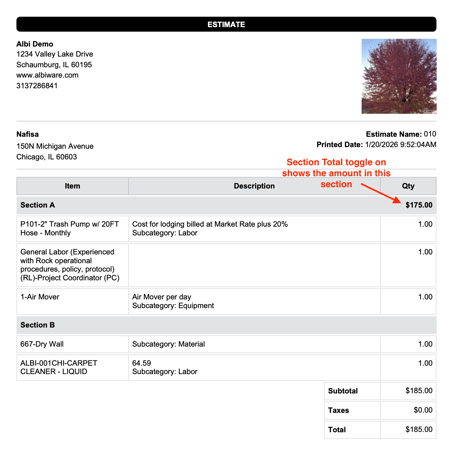
When enabled:
- Each section will display a subtotal on the PDF
- Example:
- Drying Equipment – $1,250
- Labor – $980
- Drying Equipment – $1,250
When disabled:
- Section headers will still appear, but section totals will not be shown
- Only the overall estimate total will be visible