
What are Moisture Points?
Moisture Points are specific measurement locations used to track moisture levels in materials over time.
They help determine:
- Drying progress
- Problem areas
- When materials reach dry standard
Creating a Moisture Point
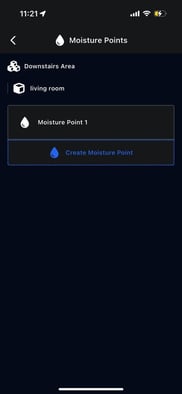
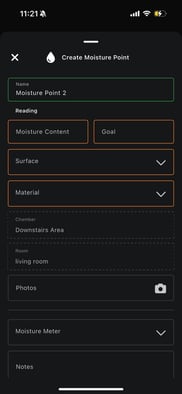
- Open Moisture Points
- Select the chamber and room
- Tap Create Moisture Point
- Enter:
- Name
- Moisture content reading
- Goal moisture level
- Surface type
- Material type
- Select:
- Chamber
- Room
- Add photos
- Select the moisture meter used
- Add notes
- Save
Moisture points can be revisited and updated during future visits.