
Templates
The Templates card allows you to manage and store document templates used across your company. Templates help maintain consistency and save time when creating documents like estimates, invoices, and work orders.
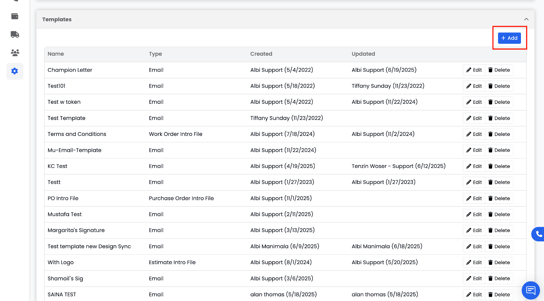
You can add new templates using the Add (+) button in the top-right corner.
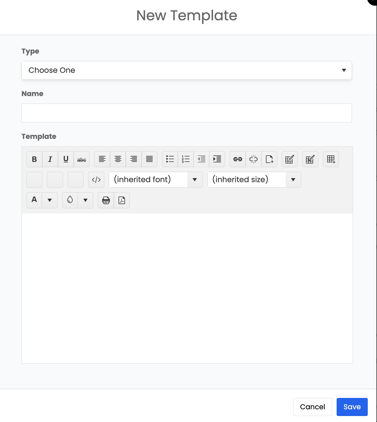
Common template types include:
- Estimate Intro / Closing Files
- Invoice Intro / Closing Files
- Work Order Intro / Closing Files
- Purchase Order Intro / Closing Files
- Email Templates
These templates automatically populate in your documents, reducing the need to rewrite the same content each time.
📘Note: For more information on creating and managing templates, see the Templates Overview section.
Emails
The Emails card allows you to set or update your company’s designated sending email address — the address from which all system emails will be sent.
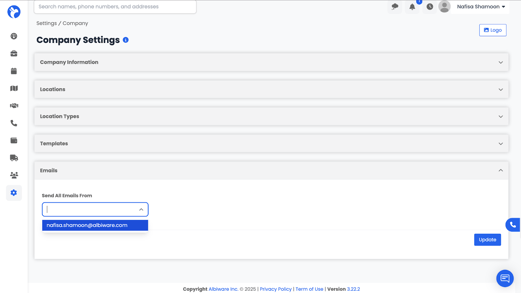
To update your default email:
- Enter or select the email address you want to use.
- Click Update to save your changes.
Once updated, all outgoing emails from Albi will be sent from this address.