
Statuses
The Statuses tab allows you to create and manage statuses that represent the current standing or stage of a relationship (for example, whether a contact is active, inactive, or a lead).
Examples include: Active, Inactive, Lead, Homeowner, Tenant, or Referral Contract Signed.
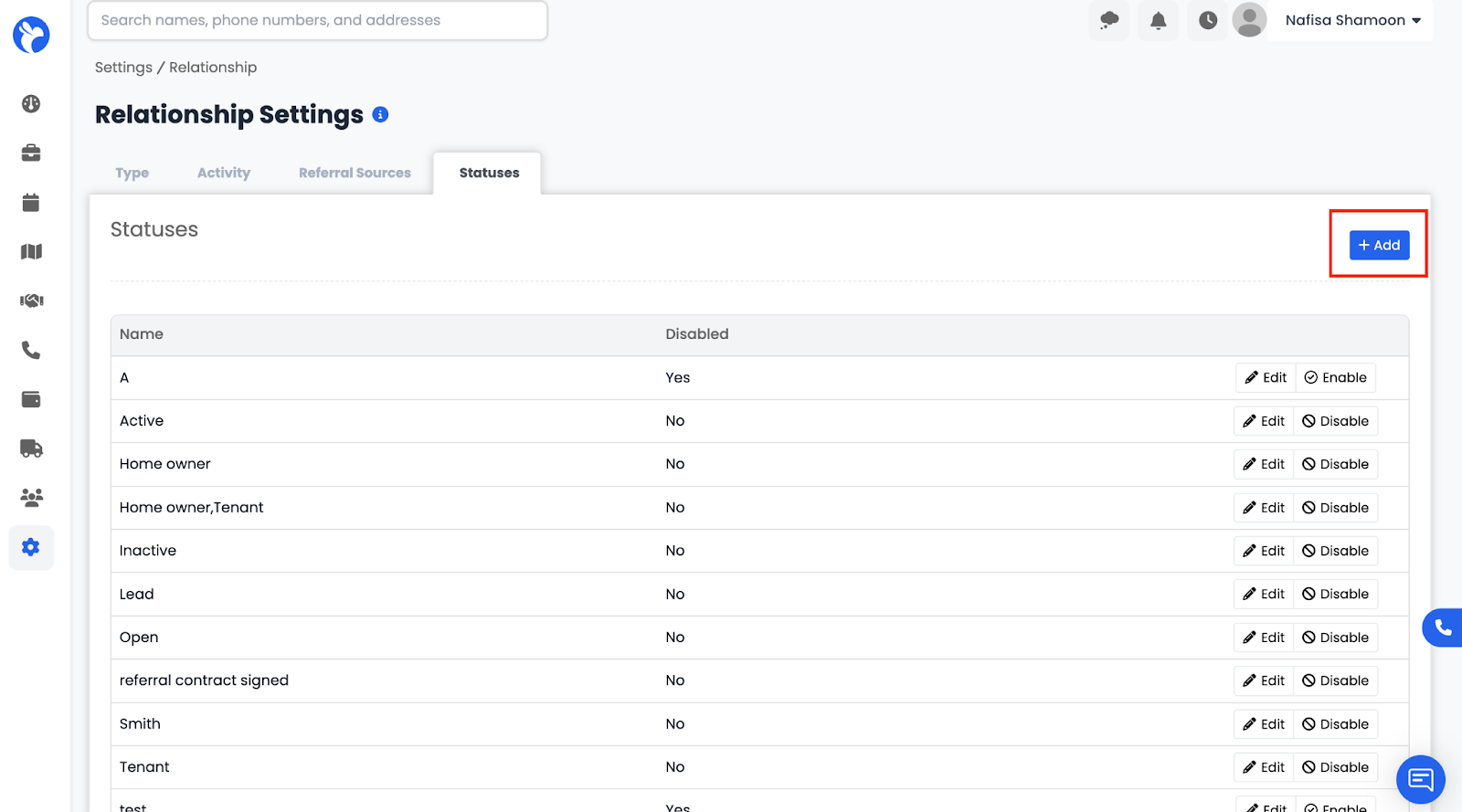
To add a new status:
- Click the Add (+) button in the top-right corner.
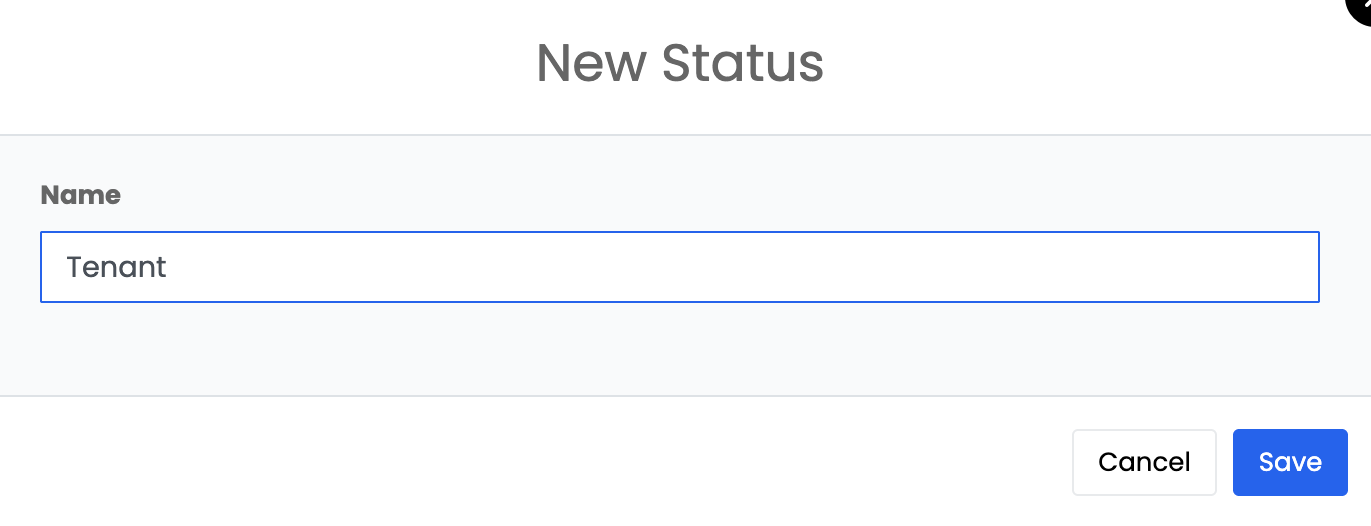
- Enter the Status Name.
You can edit, disable, or enable statuses as your workflow changes.