
How to Add a Payment
- Click Add Payment.
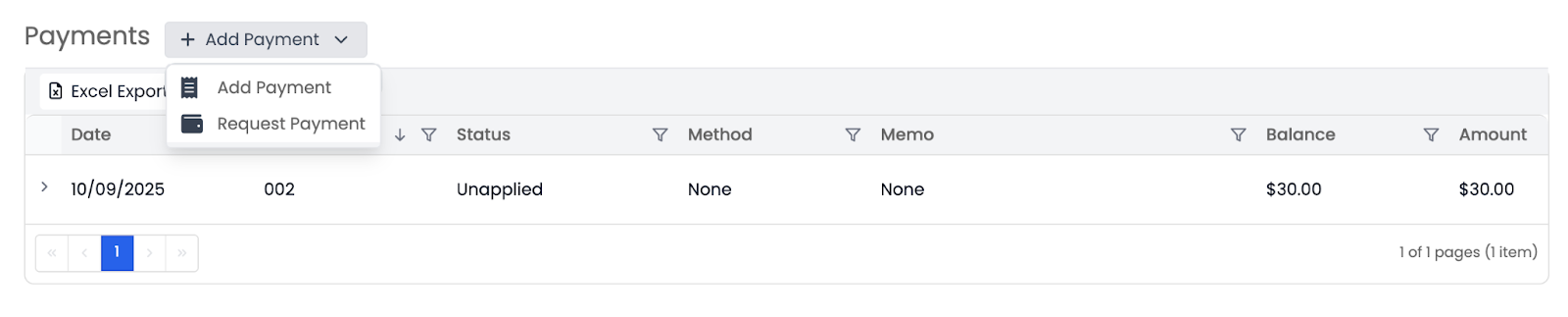
- Choose whether to Add Payment or Request Payment.
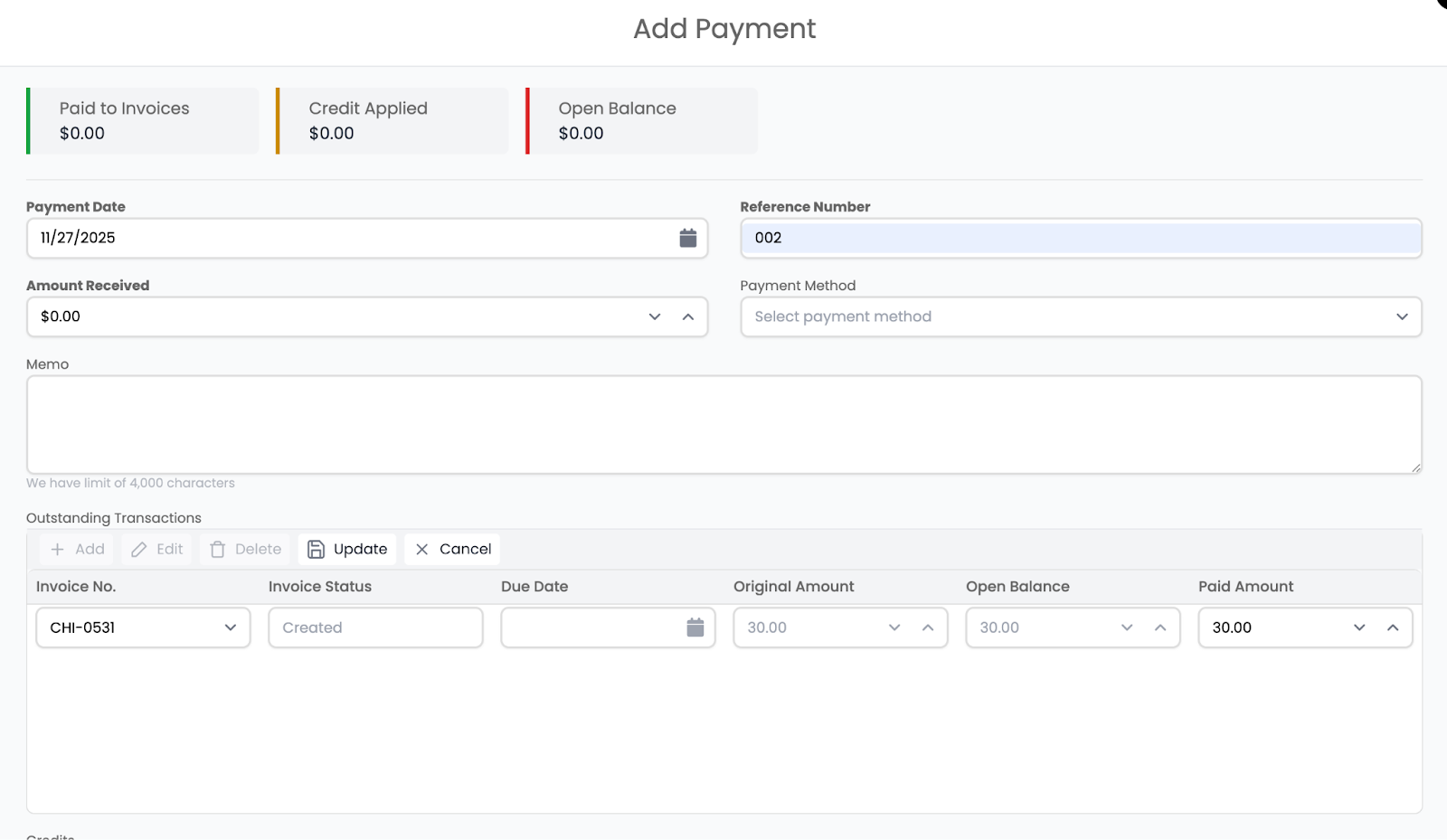
- If adding manually, fill out:
- Payment Date
- Amount Received
- Payment Reference Number
- Payment Memo (optional)
Applying Payments to Invoices
You can apply the payment to an outstanding transaction by selecting:
- Invoice number
- Invoice status
- Due date
- Original balance
- Amount paid
- Remaining balance
After saving, the payment will appear under the Payments section and update the invoice status and outstanding balances.
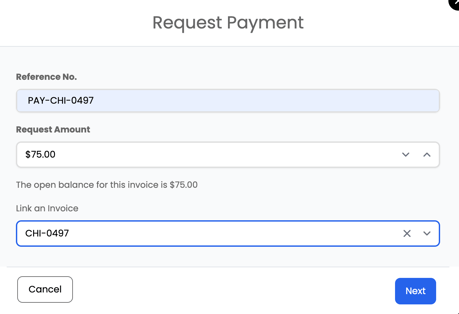
If you click Request Payment from the Payments section, a form will open where you can enter the reference number, requested amount, and optionally link the request to a specific invoice. This allows you to send a payment request directly to the customer through Albi.
📘 Note: This option only appears if Albi Pay is set up for your company.
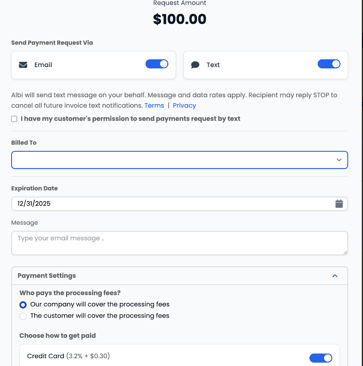
Once the request is submitted, the Albi Pay payment goes through four stages:
- Payment Requested – The customer receives the payment request link.
- Payment Submitted – The customer enters their payment details and submits the payment.
- Processing – The transaction is being verified and transferred.
- Success – The payment clears and the funds are deposited into your Albi-connected account.