
Viewing & Managing Call Records
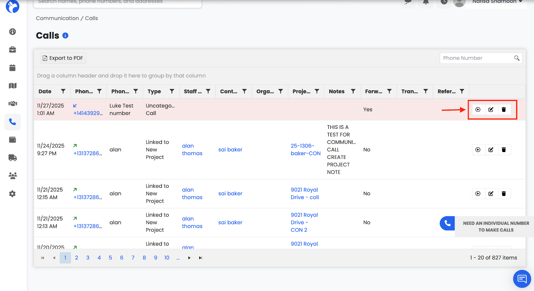
Each call record has action buttons on the right:
1. Play Recording
- Click the play icon to listen to the call.
- A recording player opens (with download option).

Call Recording Playback
When you select a recording:
- A simple audio player appears.
- You can play, pause, or download the audio file.
- This helps verify conversations or keep compliance records
2. Edit Call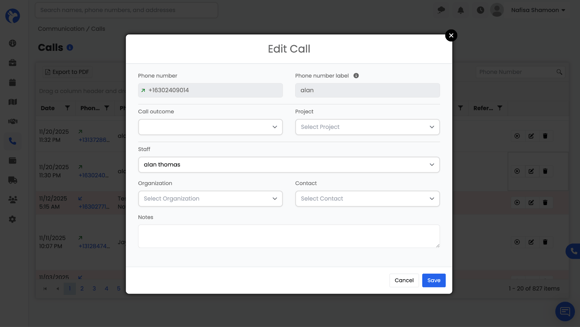
Click the Edit Button to modify:
- Call outcome
- Linked project
- Staff
- Organization
- Contact
- Notes
3. Delete Call
Use the trash icon to remove the call record.