
Inside each project, there are 10 main sections that let you manage every part of the job.
Click on Folders
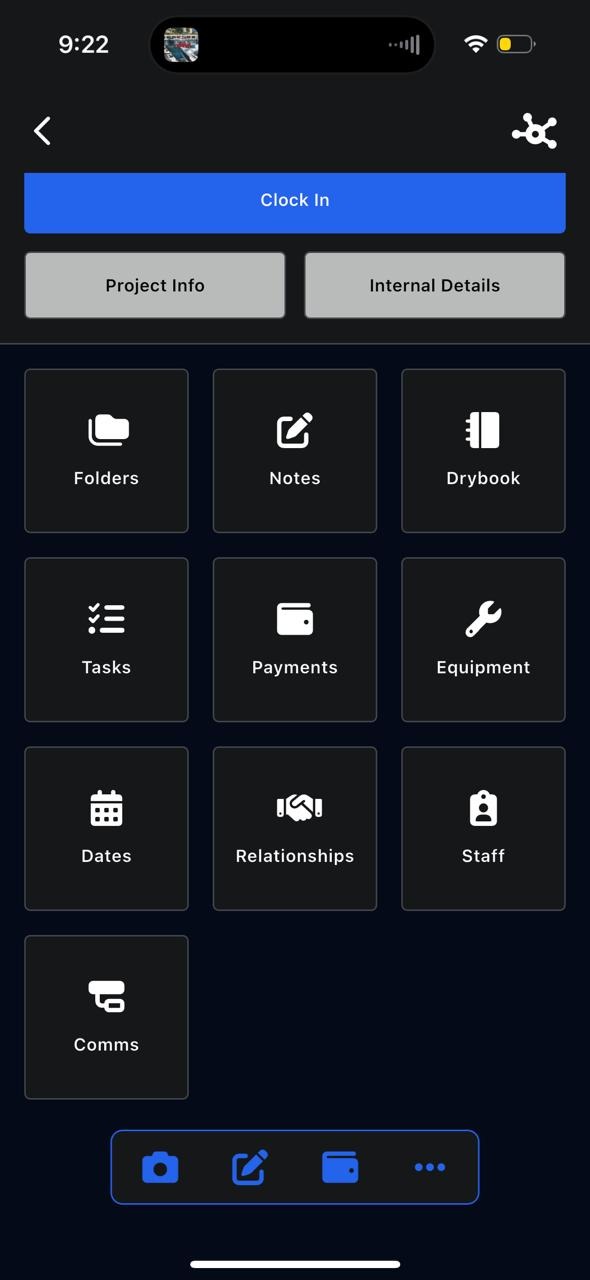
Folders
The Folders section stores all project files, including:
- Photos
- Videos
- Documents
From here, you can:
- Upload photos, videos, and documents
- Capture photos directly from your phone
- Add files from your gallery or device
- Filter files by staff member
- Search for specific files
Using the three-dot menu, you can also:
- Create project reports
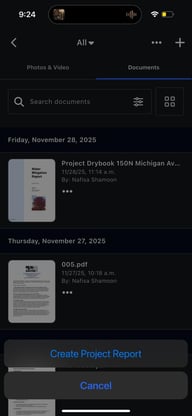
- Customize what is included in the report by selecting files and documents
Changing the Folder
Using the Filter at the top “All”, you can change the folder where files are stored.
folders help organize files by category, such as:
- Documents, Images, Videos, Reports, Testing (or other custom folders)
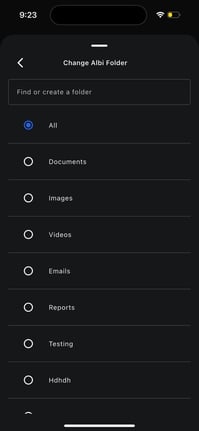
Changing the folder allows you to:
- Keep files organized
- Separate different types of documentation
- Once the Project report is generated, Albi emails the project report to you, and saves a copy in the reports folder.