
Scheduling Events (New Event Button)
On the Basic Info tab you can see a quick overview of any scheduler events that are associated with the project.
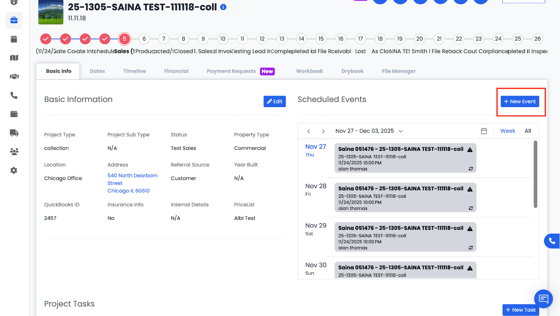
When creating a new event, you can fill out: Event Category, Event Tags, Start/End Time, Staff Assigned, Status (Unconfirmed, Confirmed, In Progress, On Hold, Complete), etc.
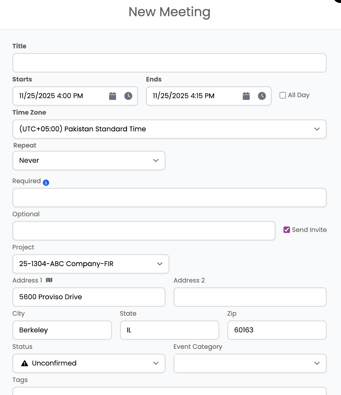
When entering an address, use the Google location dropdown if it appears. Selecting an address from the Google dropdown allows Albi to automatically populate related fields, such as city, state, and zip code.