Manage Details
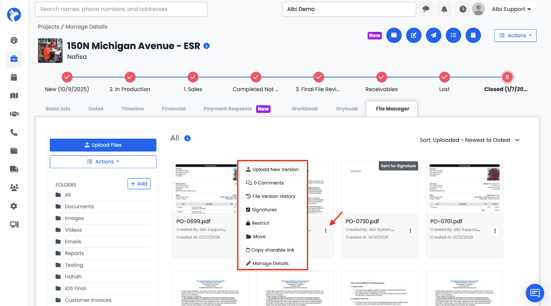
- Click the file’s ⋯ menu
- Select Manage Details
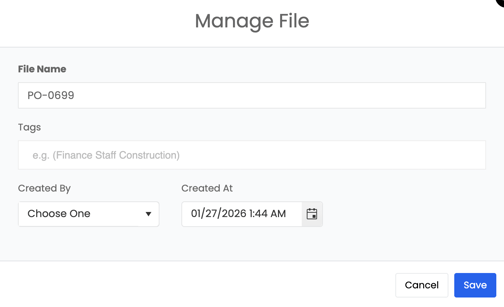
Allows you to edit file metadata:
- File name
- Tags
- Created by
- Created date
Delete File
Permanently removes the file from the project.
If the file exists in project type settings, it can be restored using Stamp Project Files.
Move File
- Click the file’s ⋯ menu
- Select Move
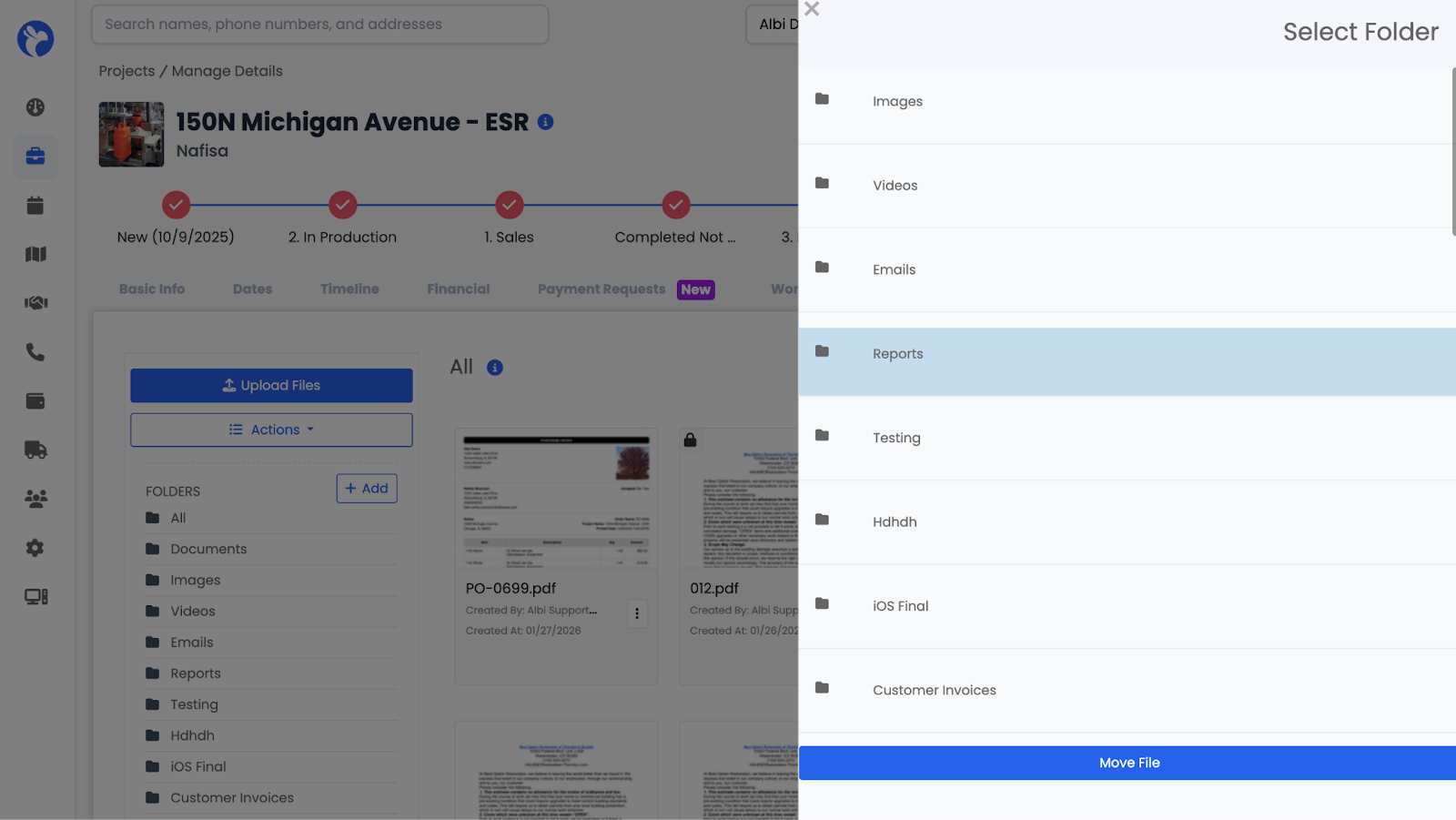
Moves a file to another folder within the project without re-uploading.
A side panel opens where you select the destination folder.
Copy Shareable Link
- Click the file’s ⋯ menu
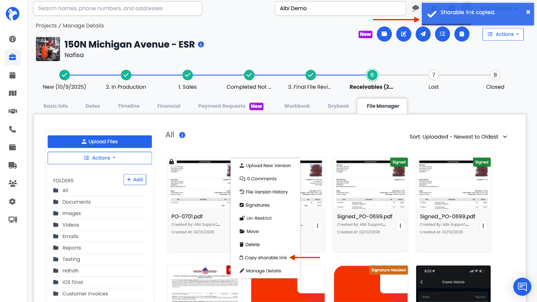
- Select Copy Shareable Link
Creates a shareable link to the file which is copied automatically and can be pasted to share.
Permissions still apply to restricted files.