
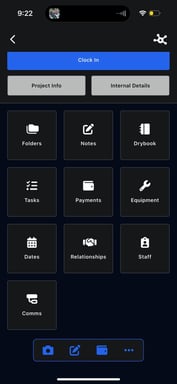
Inside each project, there are 10 main sections that let you manage every part of the job.
Click on Equipment
The Equipment section shows all equipment assigned to the project.
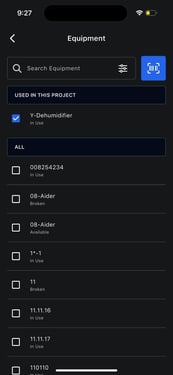
From here, you can:
- See which equipment is currently on the project
- Add new equipment using the Add (+) button
- Remove equipment
- Select and remove equipment in bulk using the three dot menu on the top right
This helps track tools and assets being used on-site.