
How to Make a Call
You can dial through Albi in two ways:
1. Using the Blue Call Icon (Bottom-Right Corner)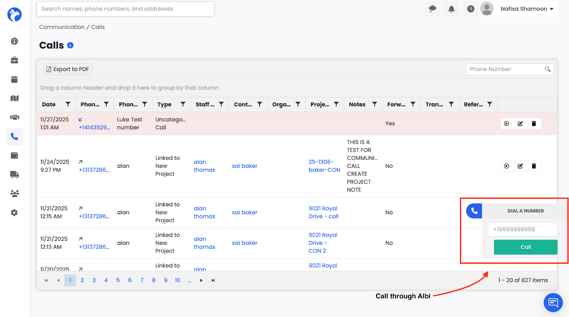
- Click the blue phone icon.
- A dial pad appears.
- Enter the phone number.
- Click Call.
What Happens After You Make a Call
- The call is placed using your assigned Individual Albi number.
- Once the call ends:
- The call automatically appears in the Calls dashboard.
-
- A recording is attached (if recording is enabled).
-
- You can link the call to a project or contact.
-
- You can edit the call details.