
Visits
The Visits section is where you log each physical visit to the property during the drying phase.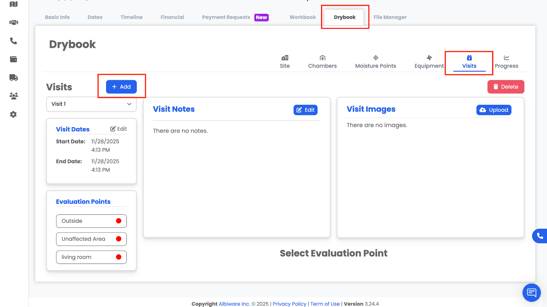
Each visit represents a day/time when a technician came to:
- Take readings
- Inspect progress
- Adjust or remove equipment
5.1 What You Can Record in a Visit
For each visit, you can record:
- Outside readings
- Temperature
-
- Humidity
- Humidity
- Unaffected area readings
- Helps provide reference conditions
- Helps provide reference conditions
- Affected area readings
- Chamber and room conditions
-
- Moisture point readings
- Moisture point readings
- Evaluation points
- For example: “Outside,” “Unaffected Area,” “Living Room,” “Basement”
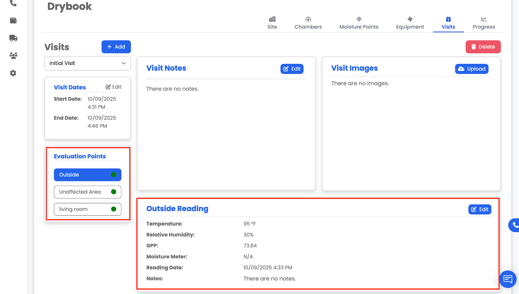
- For example: “Outside,” “Unaffected Area,” “Living Room,” “Basement”
- Visit Notes
- Observations about how the drying is progressing
-
- Changes made to equipment
-
- Access issues or customer concerns
- Access issues or customer concerns
- Images from that specific visit
- Updated damage photos
-
- Equipment placement photos
-
- Before/after comparisons over time
- Before/after comparisons over time
5.2 Trend Over Time
As you add more visits, you’ll be able to see:
- How outside vs. inside conditions change
- How moisture readings are trending (e.g., dropping from visit 1 to visit 4)
- Whether some areas are drying slower than others
This makes it easier to justify equipment use and demonstrate proper drying progress.