Templates are now being migrated to Snippets (Learn More)
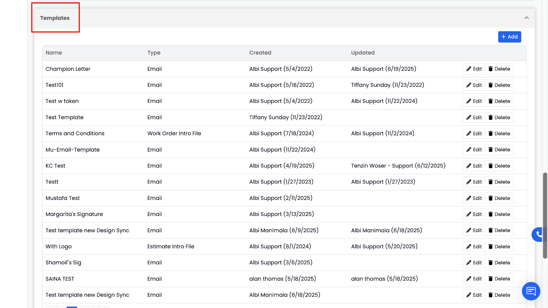
The Templates section allows you to create and manage different types of document templates for your company — including Emails, Invoices, Work Orders, Purchase Orders, Estimates, and more. Templates make it easy to send consistent, professional messages and documents without having to rewrite the same content each time.
Using templates helps maintain consistency across your jobs, saves time, and ensures all documents and communications follow your company’s preferred format and branding.
How to Find Templates
To find existing company templates or to create new templates, go to Settings → Company, and scroll down to the Templates section. From here, you can view, edit, or create new templates as needed.
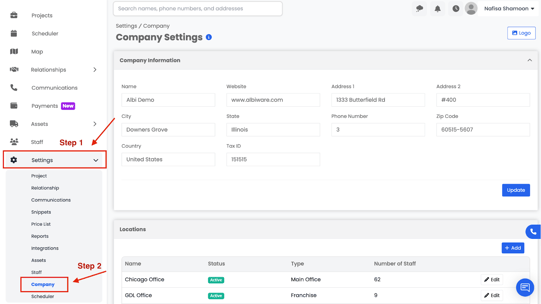
Scroll down to "Templates”