
Exporting Items
-
Go to Projects
-
Go to Workbook -> Items
-
Click "Export" and select Excel or PDF
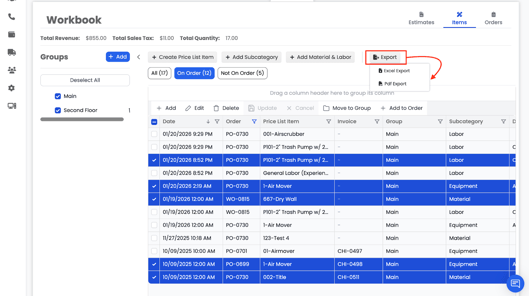
- If items are selected, only selected items are exported
- If no items are selected, all items are exported
- Exports are available in Excel or PDF
- Files download through your browser