
The Albi mobile app allows you to customize your Home screen so it shows what matters most to you.
You can use Manage Home Screen to choose the order in which Quick Start sections appear.
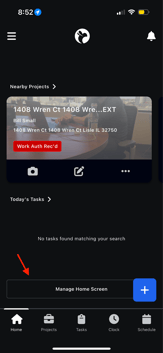 .
. 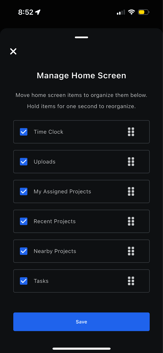
You can choose which sections you want to see, such as:
- Time Clock
- Assigned Projects
- Recent Projects
- Nearby Projects
- Today’s Tasks
This flexibility helps you tailor the app to your role and daily workflow.