
The Add (+) button is used to create new records in the Albi mobile app. It allows you to quickly add information without having to search through different parts of the app.
You can find the Add (+) button on the Home screen. It appears as a blue plus (+) icon.
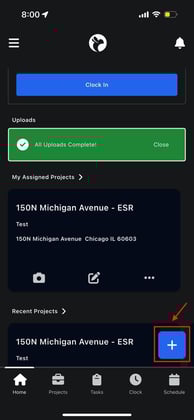
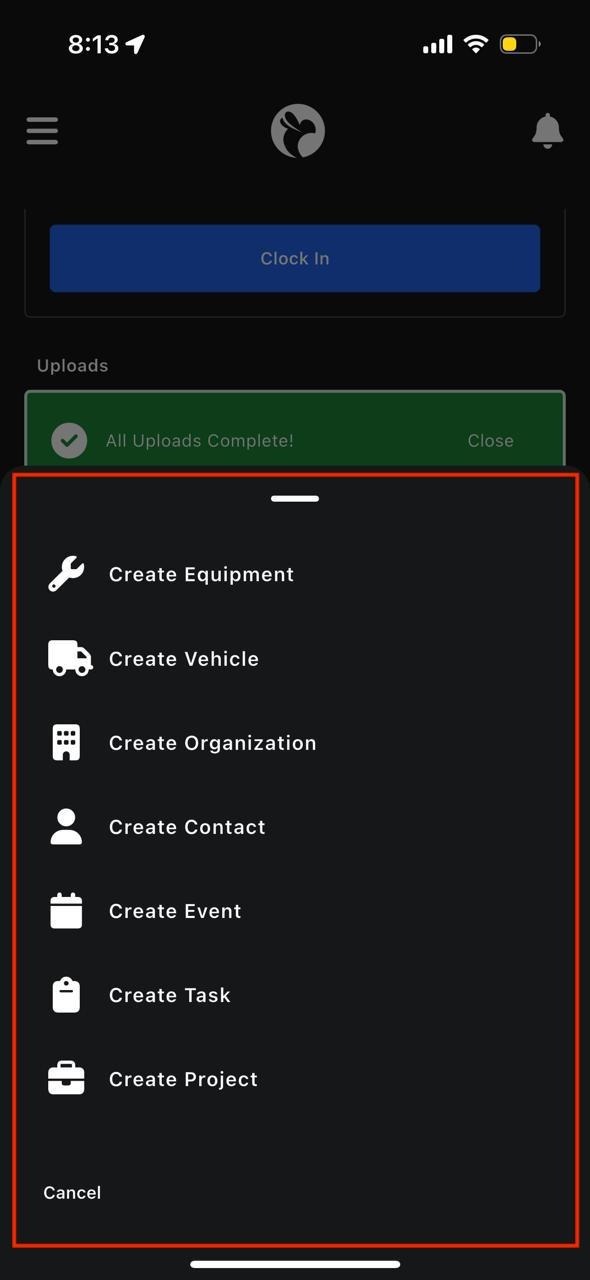
When you tap this button, a menu opens showing all the different items you can create.
What is Equipment?
Equipment refers to tools, machines, or assets owned by your company that may be used on projects. This can include things like dehumidifiers, air movers, meters, or other job-related tools.
Equipment records help your team keep track of what tools exist, where they are, and how they are being used.
How to create equipment
- Tap the Add (+) button
- Select Create Equipment
-
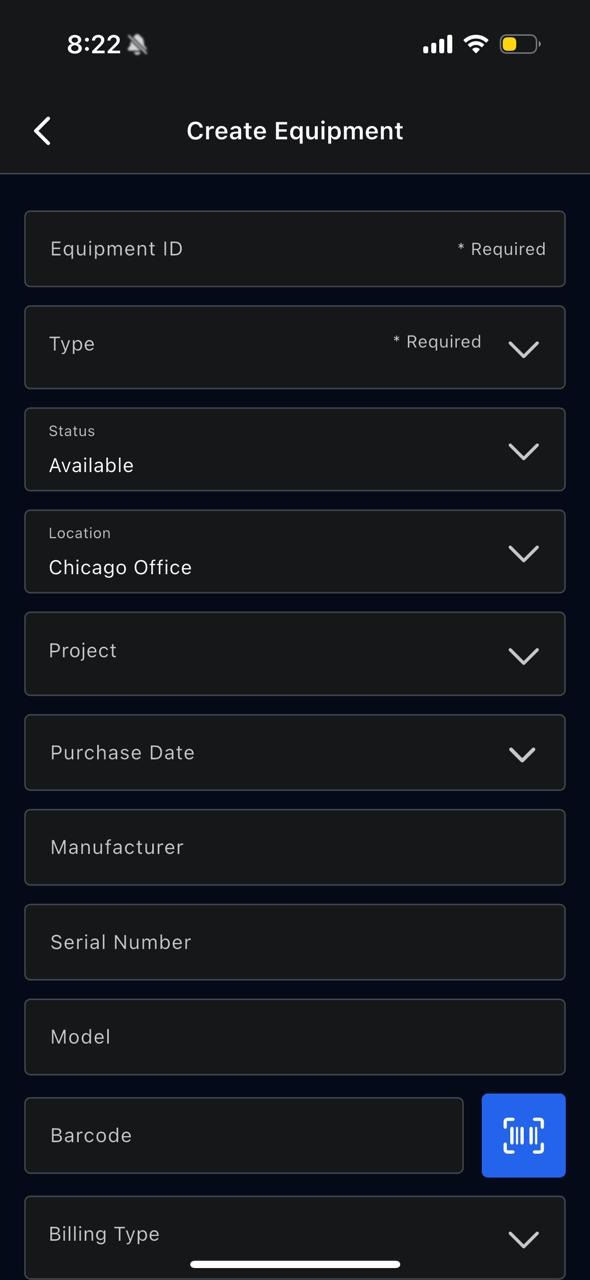
- Equipment ID – a unique identifier for the equipment
- Type – what kind of equipment it is
- Location
-
- Status (for example: Available or In Use)
- Location
- Assigned project
- Manufacturer, model, and serial number
- Purchase date
- Billing type
- Barcode (you can scan this using your phone camera)
5. Tap Save to finish