
Types
The Types tab under Project Settings allows you to define the different project types that can be selected when creating a new project in AlbiWare.
For example, you can create types such as Contents, Emergency Services, Rebuild, or any other category relevant to your company’s operations. When adding a new project, users can then select the appropriate project type from this predefined list.
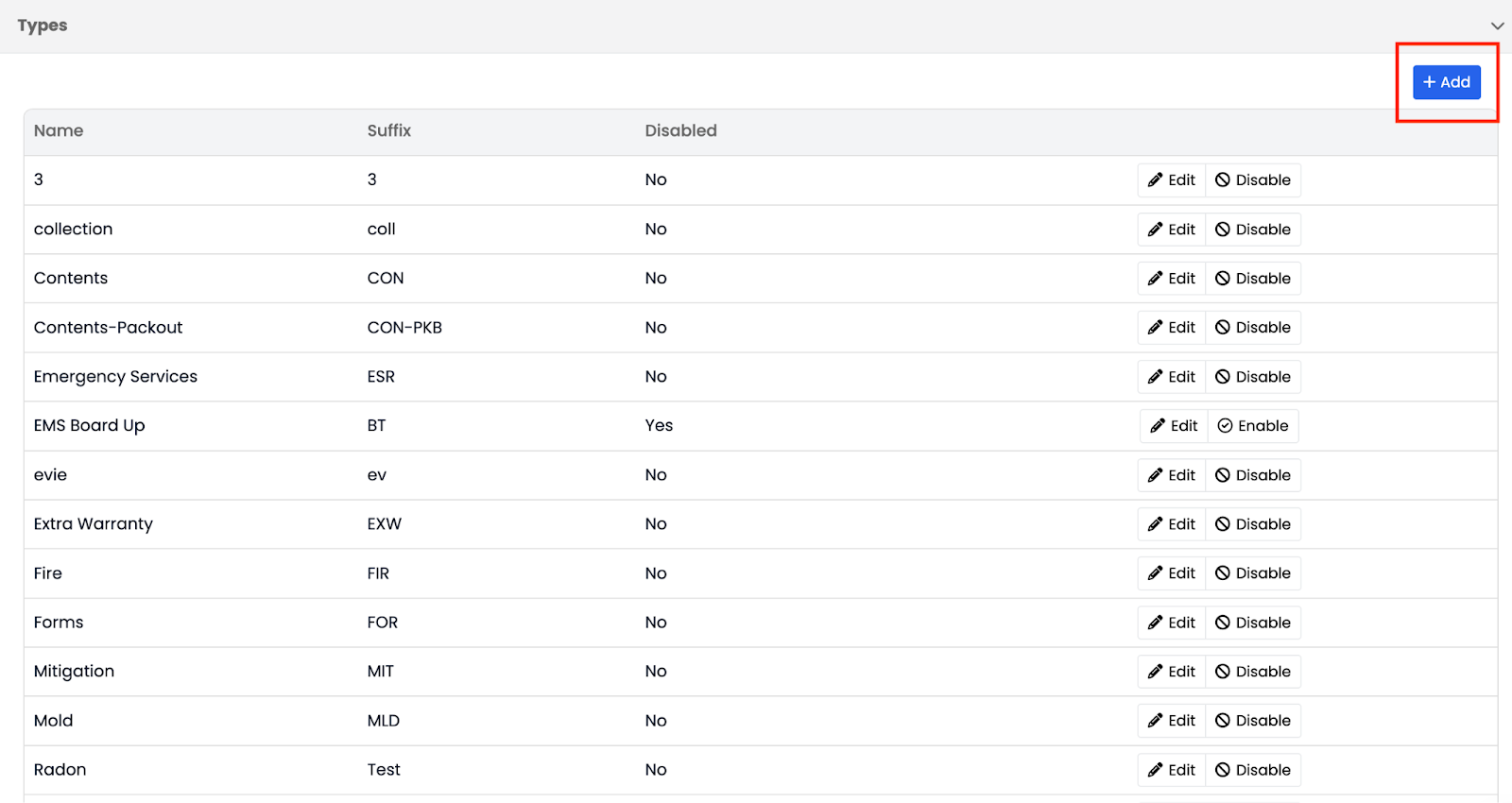
To add a new type, click the Add button on the right-hand side of the screen.
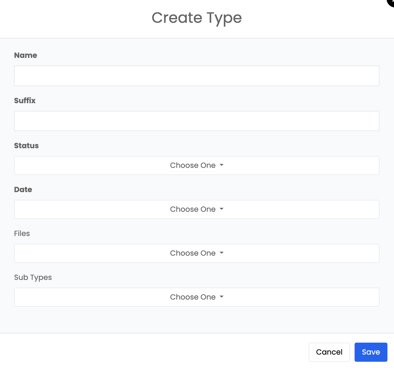
You can also assign a suffix to each project type for easier identification — for example:
- Contents – CON
- Emergency Services – ESR
You can edit, rename, or disable existing project types at any time based on your company’s needs.
By organizing and standardizing project types, you ensure consistency across your system and make it easier for your team to categorize and manage projects efficiently.
Note: If statuses, dates, files, or other settings are not configured under a project Type, they will not appear on the project itself.