
Invoices represent the charges billed to the customer for labor, materials, equipment, services, and other project-related costs.
How to Add an Invoice
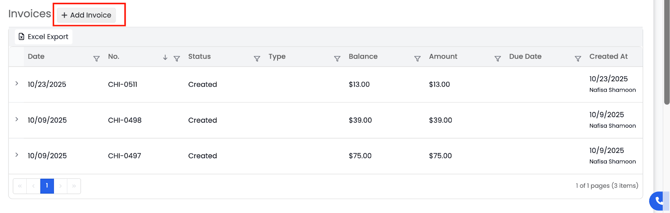
- Click Add Invoice.
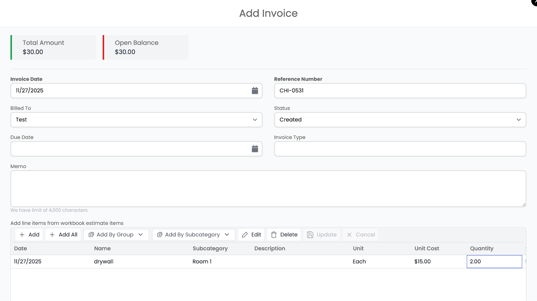
- Invoice Date
- Reference Number
-
- Line items will display:
- Date
- Line items will display:
-
-
- Item Name
-
-
-
- Subcategory
-
-
-
- Description
-
-
-
- Unit Cost
-
-
-
- Quantity
-
-
-
- Unit (each, hour, sq ft, day, etc.)
- Unit (each, hour, sq ft, day, etc.)
-
4. Save the invoice, and it will appear in the Invoices list.
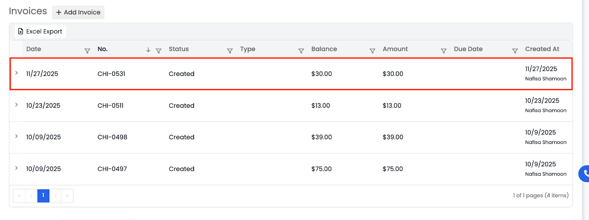
Invoices update your project’s revenue, open balances, and payment status.