
Templates are being migrated to Snippets (Learn More)
How to Access and Create Invoices
You can access and create invoices directly through the Finance tab within each project in Albi.
- Go to the Projects tab and open the project you want to work on.
- Click on the Finance tab.
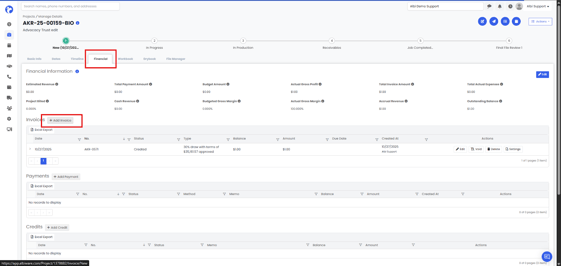
- Click Add Invoice.
- Fill in the required details, then click Create Invoice and Save.
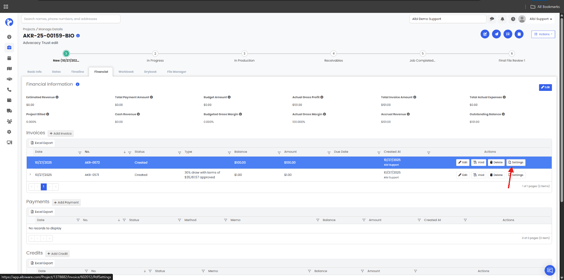
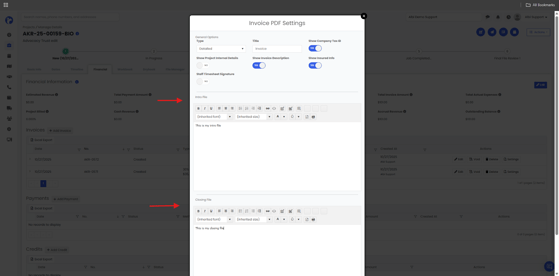
- Go to PDF Settings to adjust how your invoice appears, then click Save again.
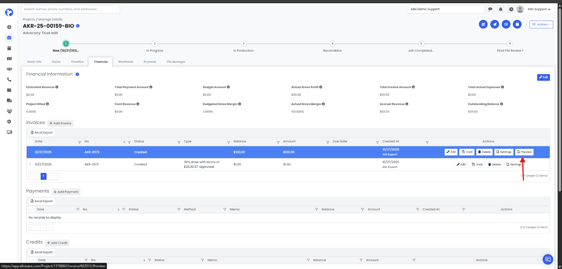
7. The exported Invoice will appear as shown below:
You can always access your invoices from the Finance tab within each project to view, edit, or manage them as needed.
📝 Note: You must save an invoice before you can preview or send it.