
The Add (+) button is used to create new records in the Albi mobile app. It allows you to quickly add information without having to search through different parts of the app.
You can find the Add (+) button on the Home screen. It appears as a blue plus (+) icon.
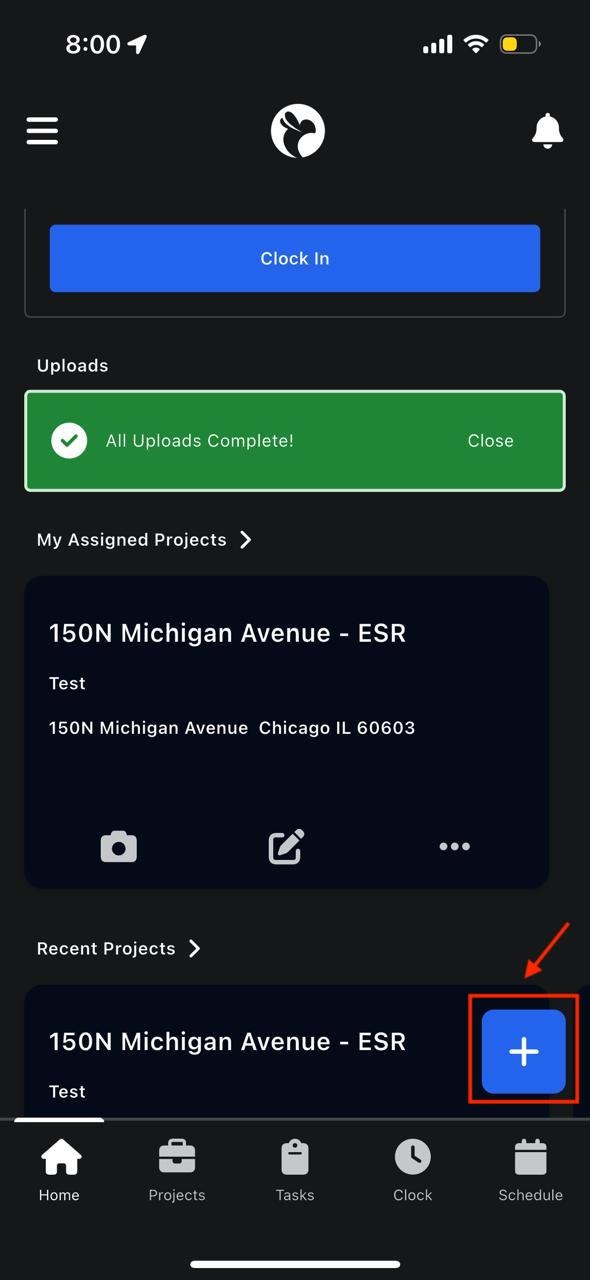
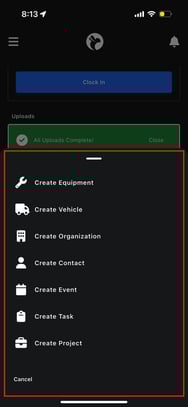
When you tap this button, a menu opens showing all the different items you can create.
Each option opens a form where you enter information step by step.
What is a Task?
A Task is a specific piece of work that needs to be completed. Tasks are usually assigned to a staff member and may be linked to a project.
How to create a task
- Tap the Add (+) button
- Select Create Task
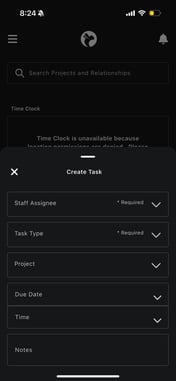
- Fill in required fields:
- Staff Assignee
- Task Type
- Optional fields include:
- Linked project
- Due date and time
- Notes
5. Tap Save