
How to Add Vehicle Types
This process is for creating a new Vehicle Type, which can later be assigned to individual vehicles. When you create or add a new vehicle, you’ll select one of these types and then give that specific vehicle a Unique Name or ID (as explained in the How to Create New Vehicle section above).
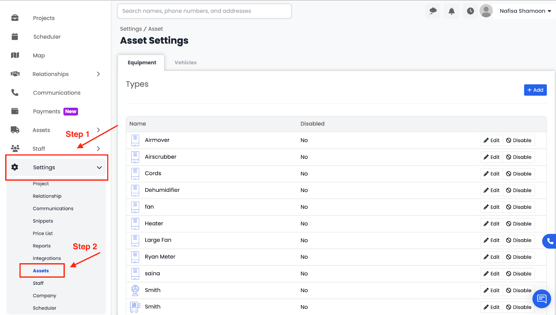
- Go to Settings from the main menu, then click on the Assets tab and select Vehicles.
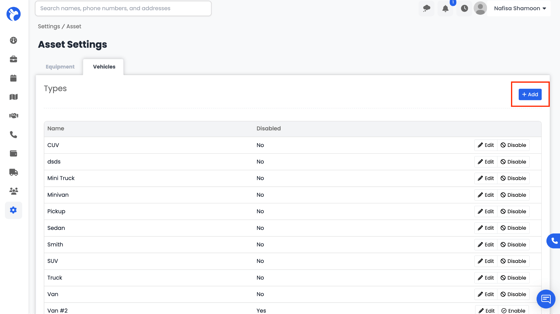
- In the top-right corner, click the Add button.
- This will open a form where you can enter details for your new vehicle type
- Fill out the form with the following information:
- Vehicle Type – Enter the type of your vehicle (e.g., Truck, Van, Car, Trailer, etc.).
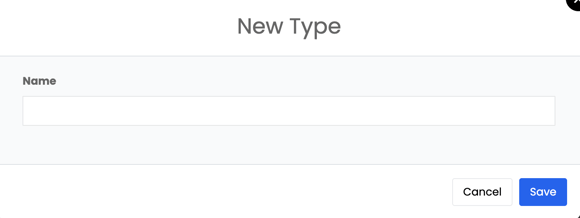
Once you’ve completed the form, click Save to add your new vehicle type. It will now appear in your Vehicles Dashboard and can be selected when adding or editing individual vehicles.