
This process is for creating a new Equipment Type, which can later be assigned to individual pieces of equipment. When you create or add a new piece of equipment, you’ll select one of these types and then give that specific item a Unique Name or ID (as explained in the How to Create New Equipment section above).
- Go to Settings from the main menu.
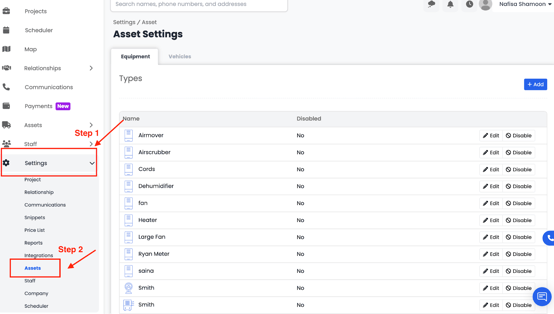
2. Click on the Assets tab.
3. You’ll see two options — Equipment and Vehicles. Select Equipment
4. In the top-right corner, click the Add button.
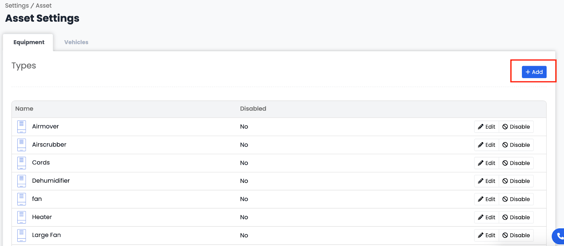
- This will open a form where you can enter details for your new equipment type.
- Equipment Type – Enter the type of your equipment (Dehumidifier, Heater etc.)
- Image – Upload or select an image that represents your equipment.
- Priceless Item – select this option to add a price list item.
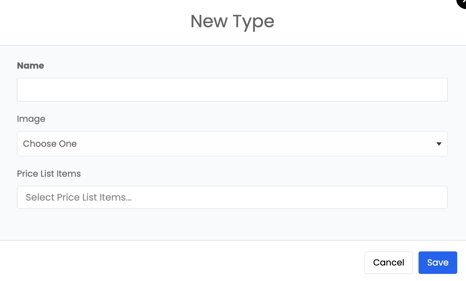
6. Once you’ve completed the form, click Save to add your new equipment type.