
To assign equipment to a specific project in Albiware:
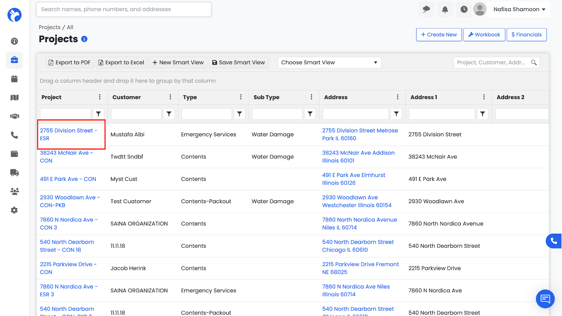
- Go to the Projects tab from the main menu.
- Find the project you want to update and click on the Project or Manage Project on the far right.
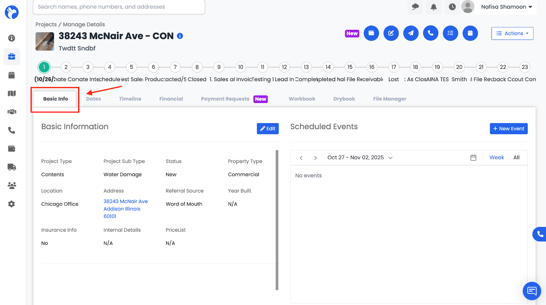
3. Once inside the project, click on the Basic Info tab.
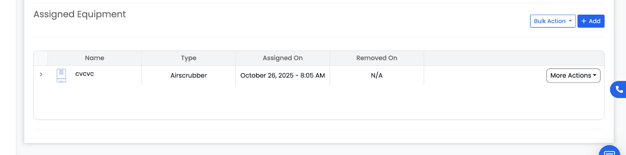
4. Scroll down to the Assigned Equipment card, then click Add Equipment to quickly add items from there.
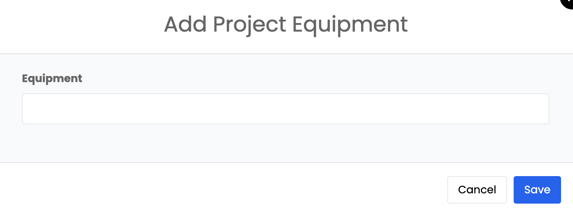
The Equipment section will also provide recommendations for how much equipment may be needed for the project based on its size and details — helping you allocate the right resources efficiently.
💡Alternative Method:
To assign equipment to a specific project in Albiware:
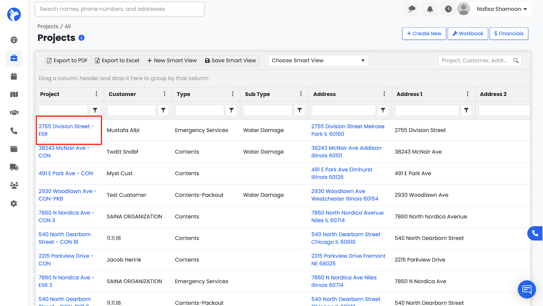
- Go to the Projects tab from the main menu.
- Find the project you want to update and click on the Project or Manage Project on the far right.
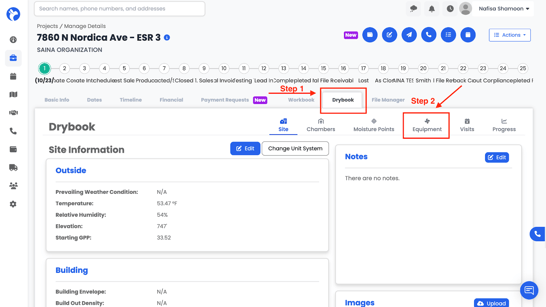
4. Within DryLog, select the Equipment option.
5. Click Add Equipment to assign equipment to the project.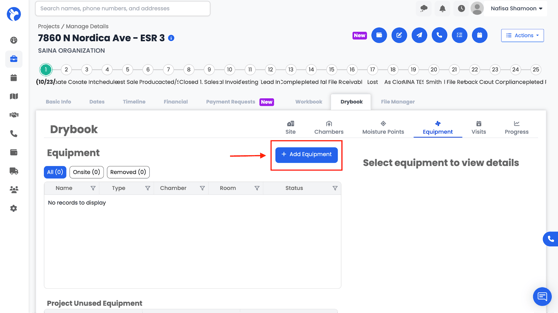
6. A form will open up to choose the equipment you want to add from the available list. 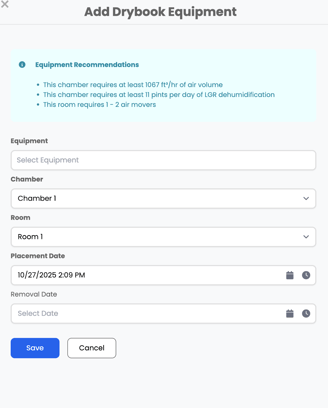
📘Note: To add equipment through DryLog, you must first create the DryLog for the project.
Once the DryLog has been created, you’ll be able to enter and manage your equipment information within it.