How to Add Vehicle Types
This process is for creating a new Vehicle Type, which can later be assigned to individual vehicles. When you create or add a new vehicle, you’ll select one of these types and then give that specific vehicle a Unique Name or ID (as explained in the How to Create New Vehicle section above).
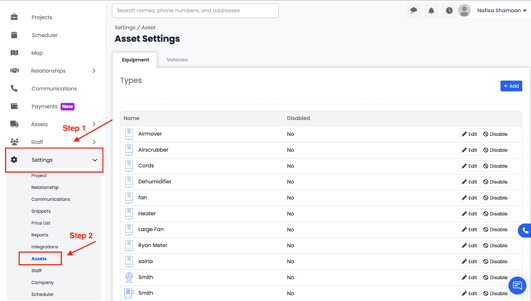
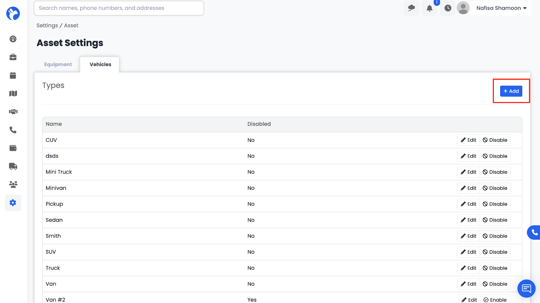
- Go to Settings from the main menu, then click on the Assets tab and select Vehicles.
-
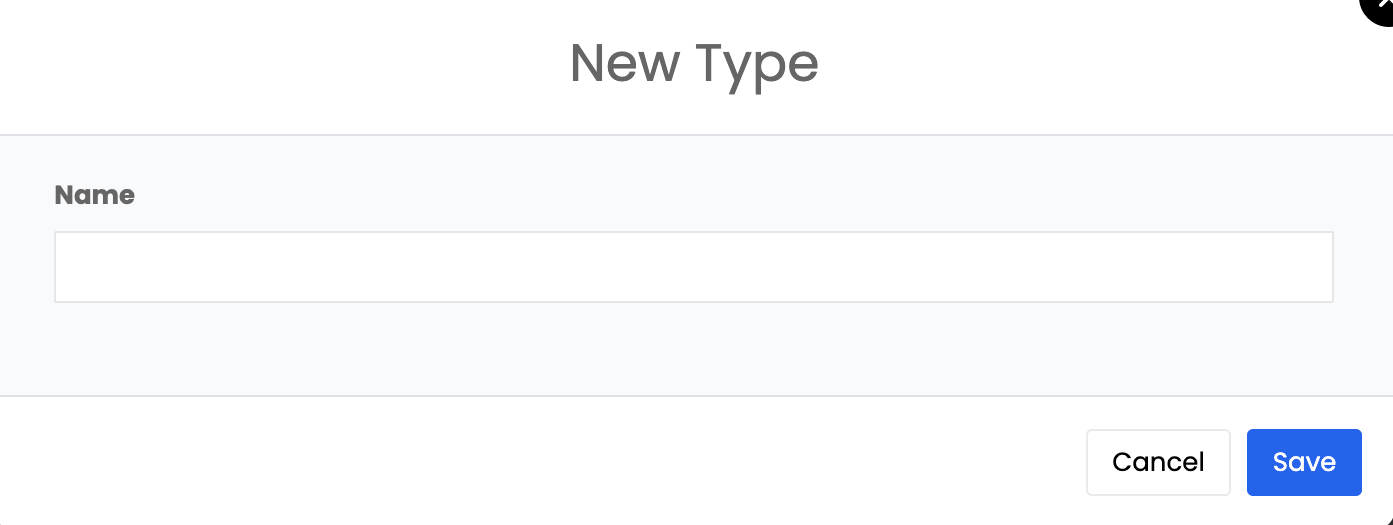
- This will open a form where you can enter details for your new vehicle type.
-
- Vehicle Type – Enter the type of your vehicle (e.g., Truck, Van, Car, Trailer, etc.).
- Vehicle Type – Enter the type of your vehicle (e.g., Truck, Van, Car, Trailer, etc.).