
How to Access the Communications Dashboard
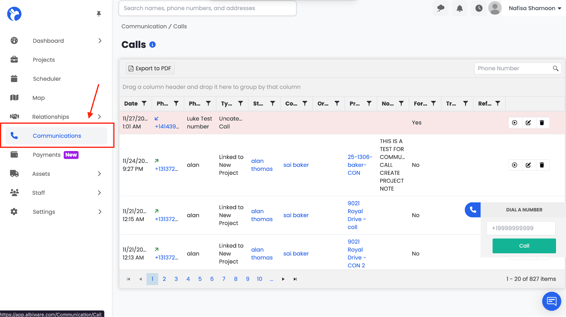
- Go to the left-side navigation menu.
- Click Communications (phone icon).
- Select Calls.
- The Calls dashboard will open, displaying your full communication history.
What You See on the Calls Dashboard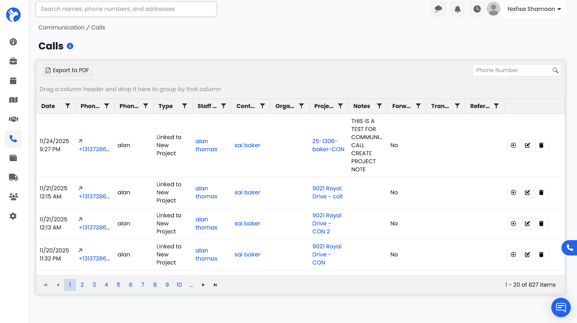
The page displays a chronological list of all calls associated with your company, including:
- Incoming calls
- Outgoing calls
- Missed calls
- Calls linked to projects
- Calls linked to contacts or organizations
- Recorded calls
Each call record contains:
- Date & Time
- Phone Number (incoming or outgoing)
- Phone Number Label
- Type of Call (incoming, outgoing, linked to project)
- Staff Member who made/received the call
- Contact / Organization
- Project it was linked to
- Notes
- Forwarded / Transferred indicators
- Recording (if available)