
How Do I Access Staff Settings and What Can I Manage in There?
The Staff Settings section allows you to manage all configuration options related to your company’s staff — including notes, titles, departments, task actions, roles, timesheets, timesheet settings, and payroll settings. This area helps ensure every employee’s data, permissions, and work tracking are properly organized across your system.
How to Access Staff Settings
To access your Staff Settings in Albi:
- Go to the Settings tab from the left-hand menu.
- Under the Software section, select Staff Settings.
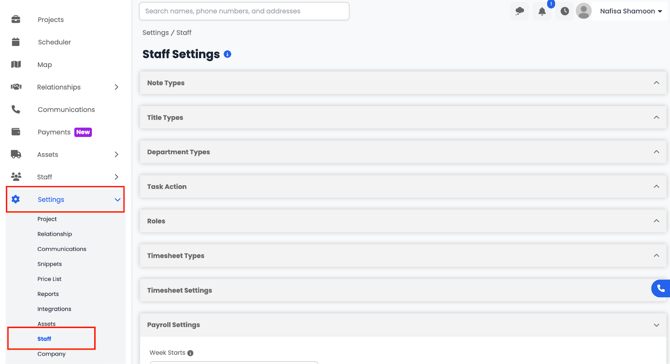
From here, you can customize all staff-related options to fit your company’s structure, workflows, and access levels.