
How to Access Relationship Settings
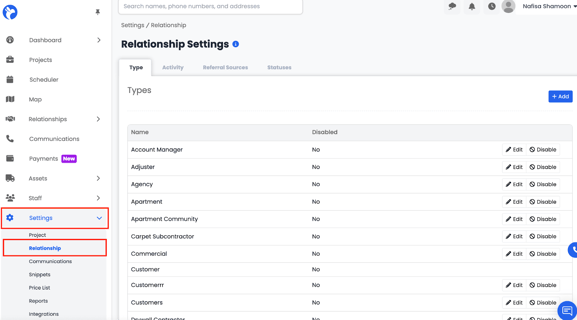
To access your Relationship Settings in AlbiWare:
- Go to the Settings tab from the left-hand menu.
- Under the Settings section, select Relationship Settings.
- The Relationship Settings page will open, displaying four tabs — Type, Activity, Referral Sources, and Statuses.
From here, you can customize how your company tracks and categorizes relationships, activities, and lead sources to ensure consistency across your entire database.