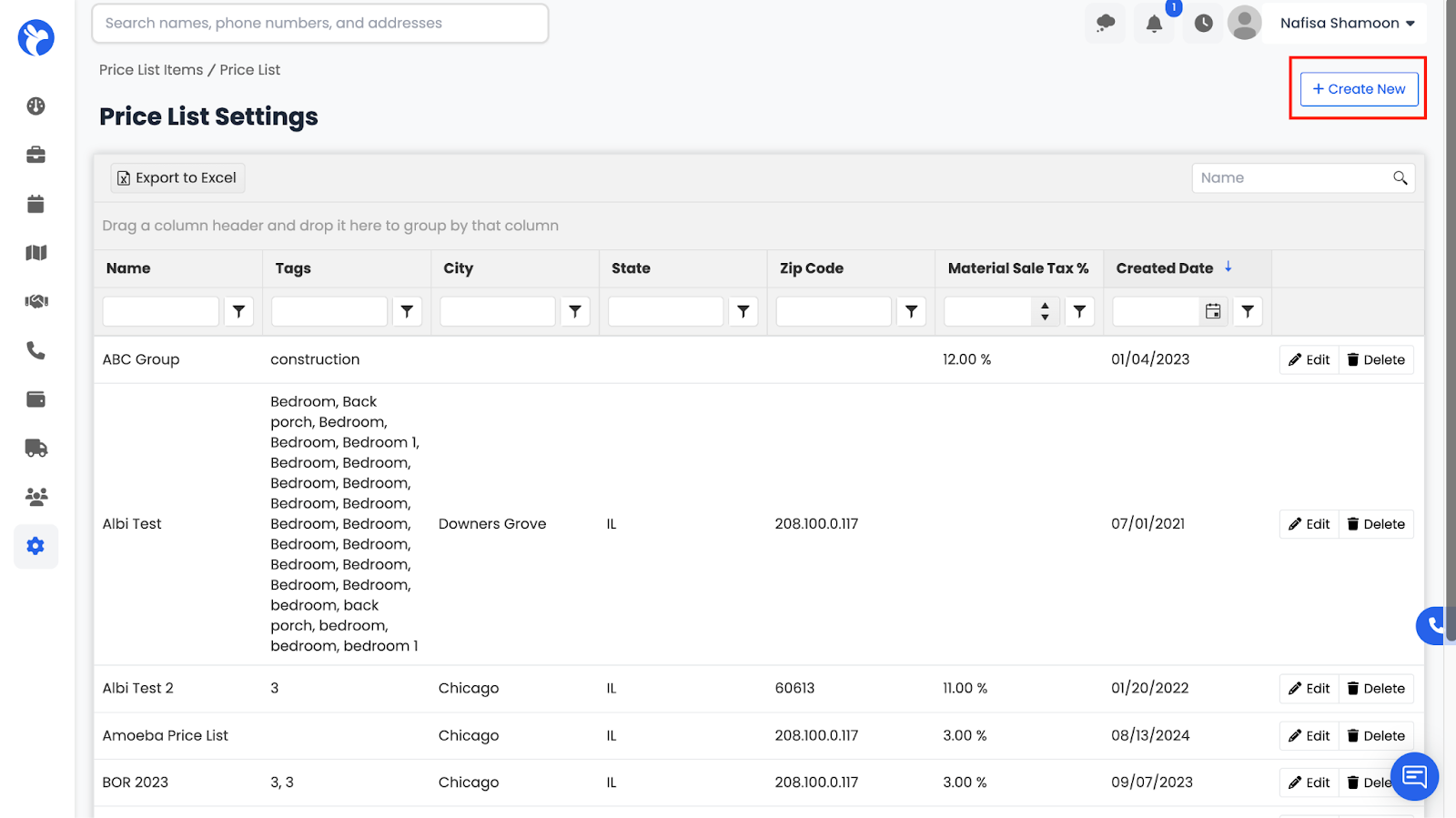
How to Access Price Lists
To access your Price Lists :
- Go to the Settings tab from the left-hand menu.
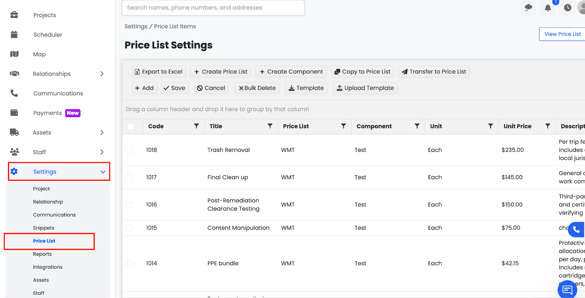
2. Under the Settings drop down, select Price List.
3. The Price List Dashboard will open, showing all existing price lists and their items.
From here, you can view, create, and manage pricing items for labor, materials, services, or equipment. These price lists are automatically linked to your estimates, work orders, and purchase orders, ensuring consistent pricing across your entire company.
How to Create a Price List
To create a new Price List in Albi:
- Go to Settings → Price List.
- Click the Create Price List button on the dashboard (top-right corner).
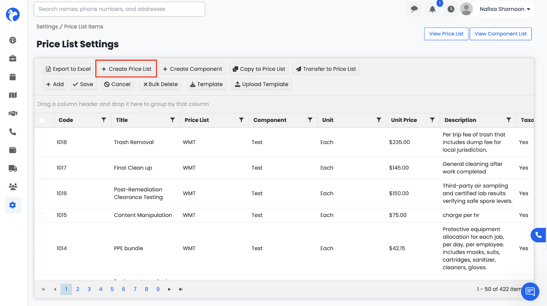
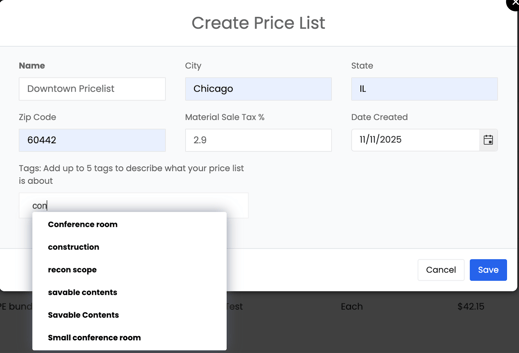
Your new Price List will now appear in the system.
How to View Existing Price Lists
Click View Price List in the top-right corner of the dashboard.
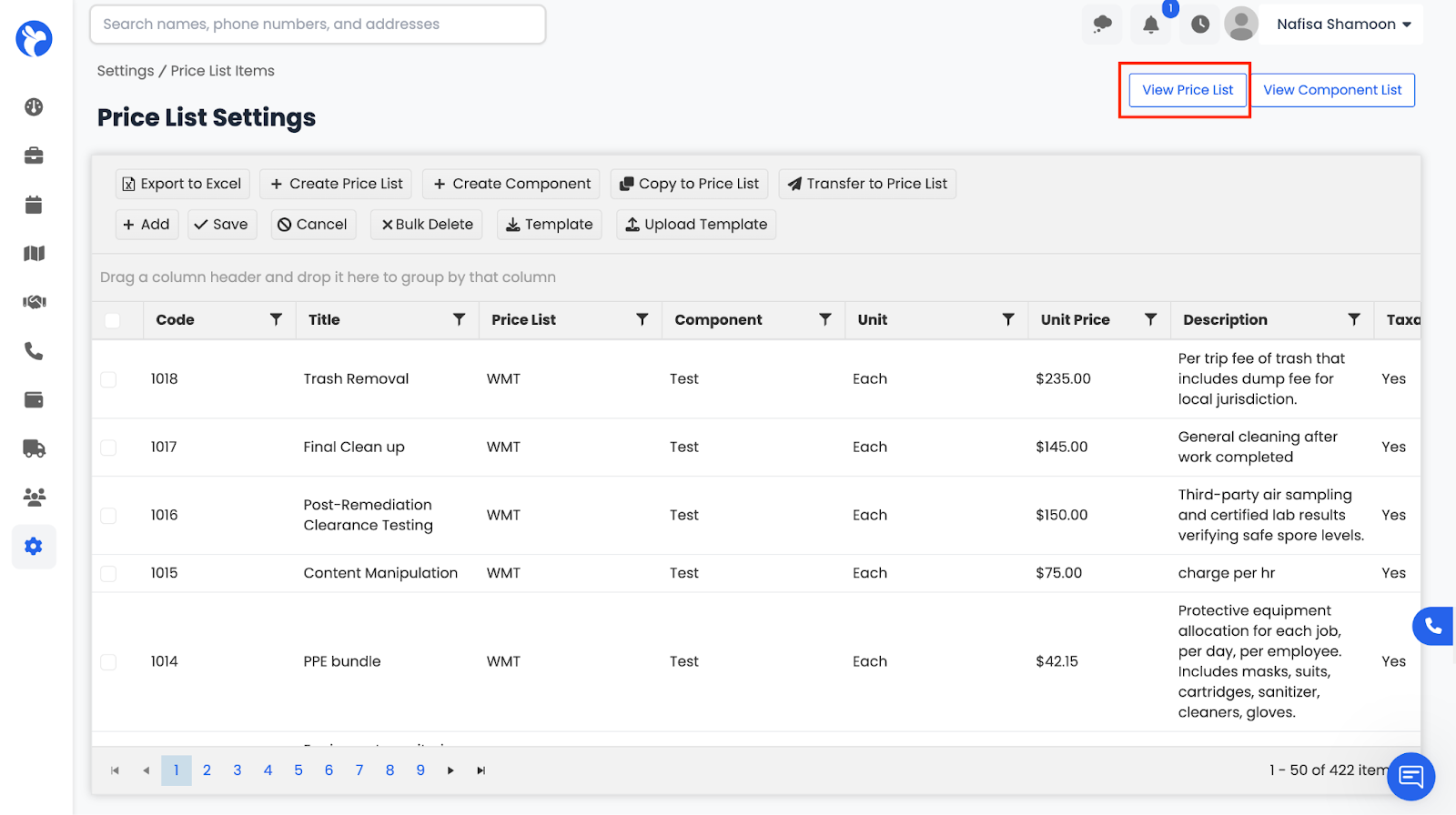
This will open a list of all current Price Lists, including the one you just created.
From here, you can open, review, and manage any list.
You can also create a new price list directly from the View Price List page using the Create New button.