
Creating Folders
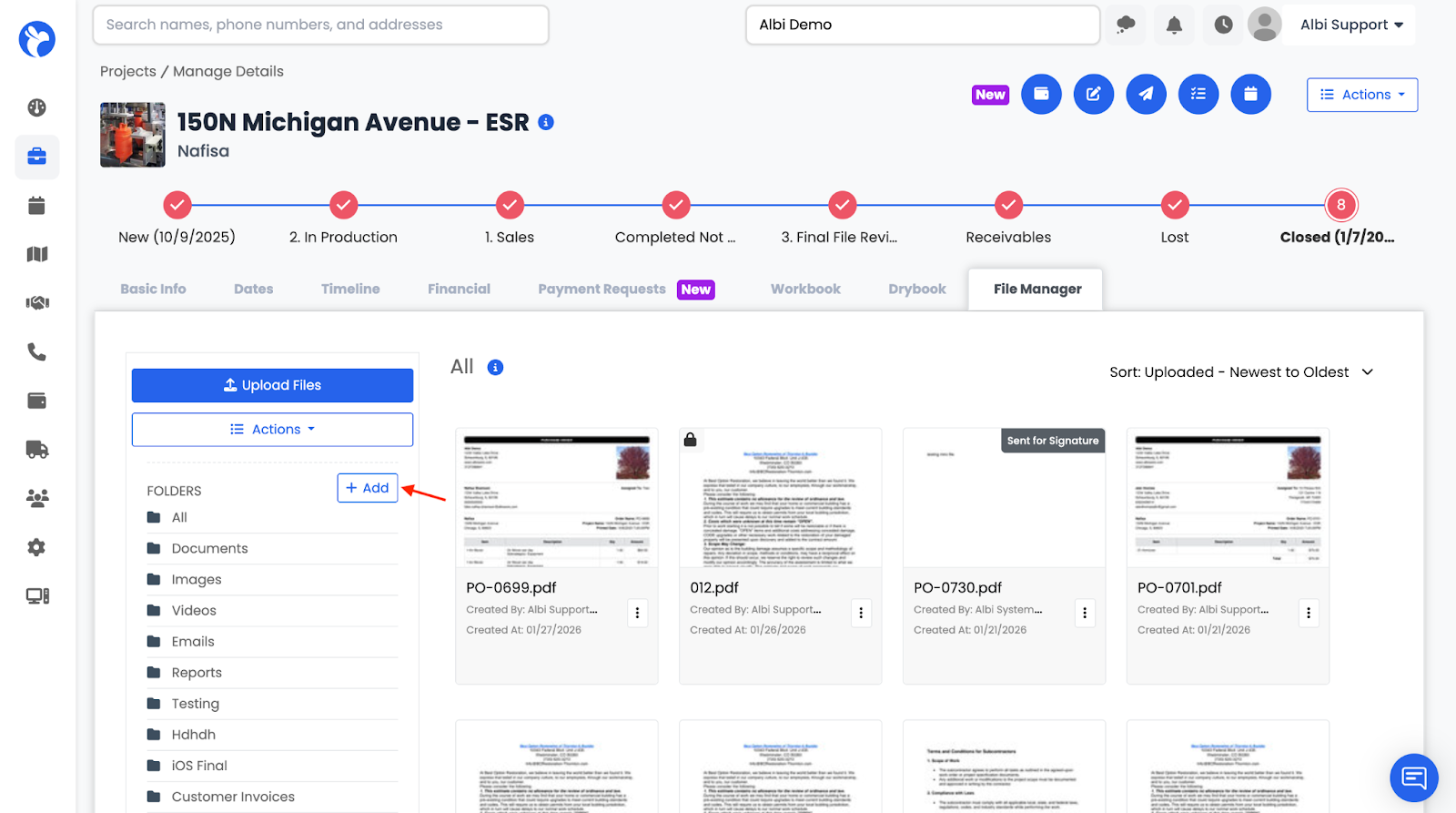
- Click the Add (+) button
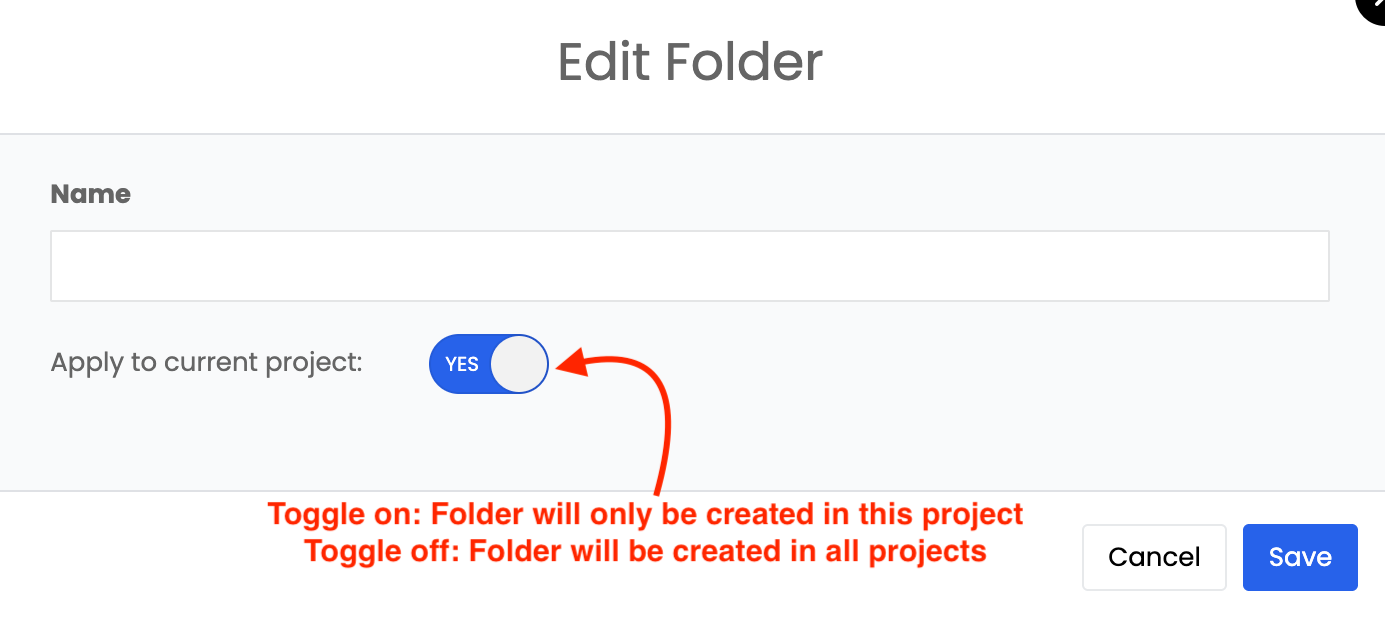
3. Choose:
-
- Toggle On: Folder only for this project
- Toggle Off: Folder created across all projects
Note: New folders will appear at the bottom of the folder list.
Static folders (All, Documents, Images, Videos, Emails, and Reports) appear on all projects, cannot be deleted, and will always remain at the top of the list.
Non-static folders can be deleted in Company Settings, but only if they do not contain documents associated with any projects.
Folder Sidebar
The sidebar allows you to:
- View All files
- Click folders to filter files by specific folder