
Templates are now being migrated to Snippets (Learn More)
How to Create Email Templates
To create an Email Template in AlbiWare:
- Go to your Profile.
- Click on Preferences.
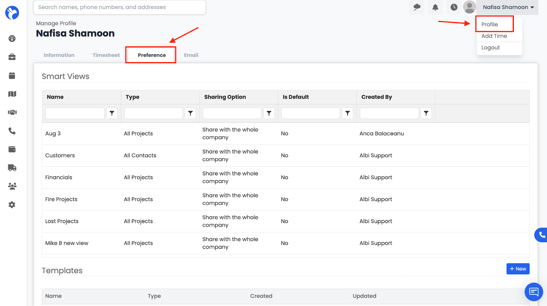
3. Scroll down to the Templates section.
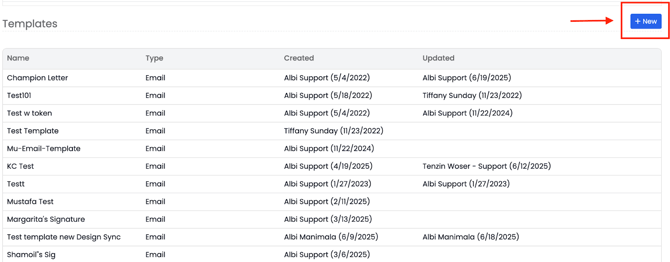
4. Click Add Template.
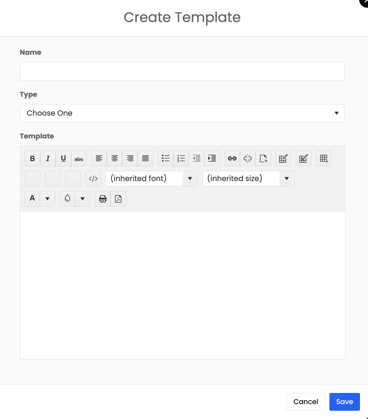
- A form will open where you can enter your email template details, such as the template name, subject line, and message body.
Your new email template will now be saved under Templates and can be used whenever you send emails from Albi
.
📝 Note: Email templates are company-wide, so all users can access and use them for consistent communication across your organization.
How to Use Your Company's Email Templates
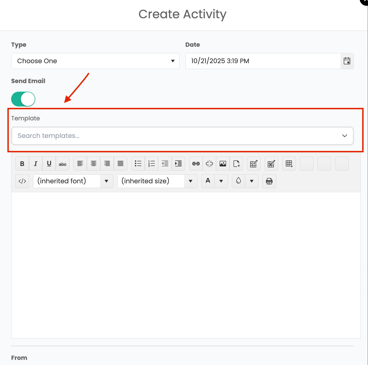
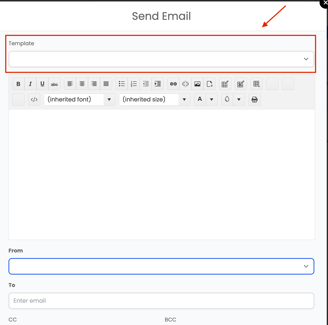
When creating an activity and enabling the Send Email toggle, you can choose from your company's" pre-existing templates. These built-in templates make it easy to send common messages without starting from scratch. Simply turn on Send Email in the activity form, open the Template drop-down, and select from your company templates— or choose one of your own saved templates if you’ve created any in the Templates section under Settings → Company.
Where to Use Email Templates in Albi
You can use your company's custom email templates in several places throughout the platform. These templates make it easy to send consistent, professional emails without rewriting content each time.
You’ll see the option to select a template in the following areas:
- When logging an activity:
Under Organizations or Contacts, toggle on Send Email in the Activity form. The Template drop-down will appear, allowing you to select from the company's default templates. - Within a project:
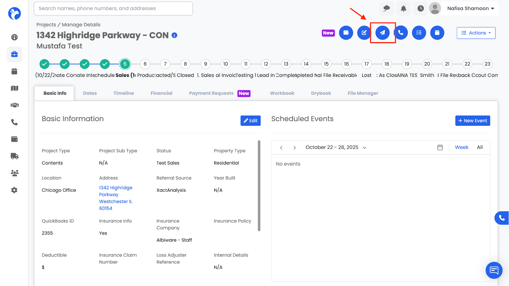
- Click Send Email at the top-right corner of the project screen to open the email window and select a template.
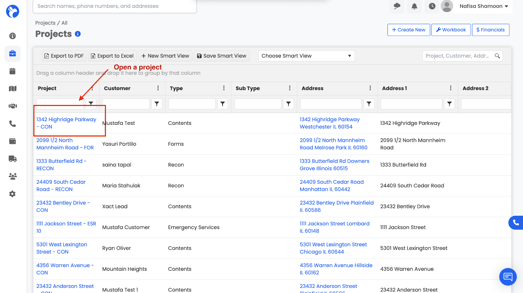
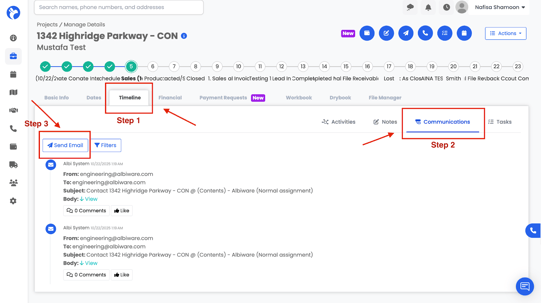
- Go to Projects → Timeline → Communications → Send Email to compose a message using an existing template.
These options ensure you can use templates wherever you communicate in Albi —whether following up on a project, logging activity notes, or sending organization -related updates.