
Credits
Credits represent adjustments made to the customer’s balance and can be applied to future invoices or used to correct errors.
Credits may include:
-
Refunds
-
Overpayments
-
Discounts
-
Goodwill adjustments
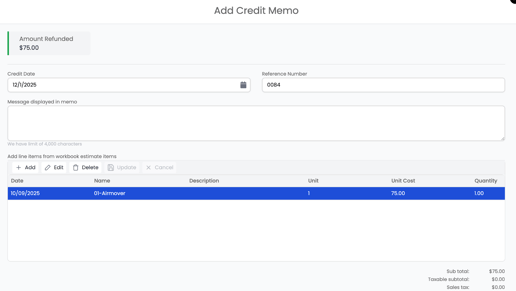
You can add credits through the Add Credit option inside payments or credits section.
📘 Important: How Payments and Credits Are Applied
In Albi, only payments are applied directly to invoices.
If a credit is entered, it is not applied to the invoice right away. Instead:
-
You create a payment, and within the payment form you will see a field to apply the credit.
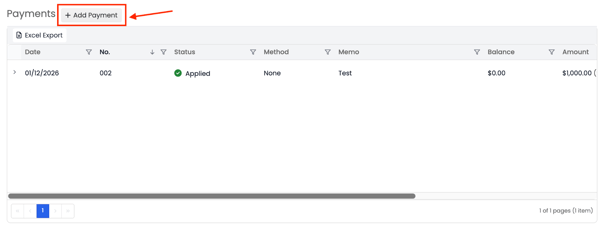
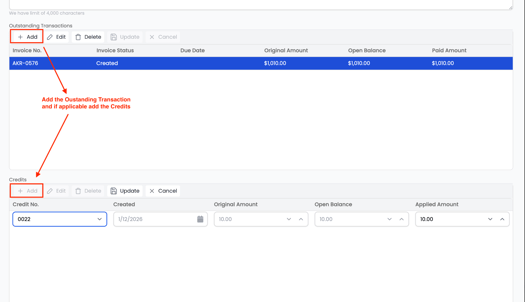
2. The credit is applied to the payment.
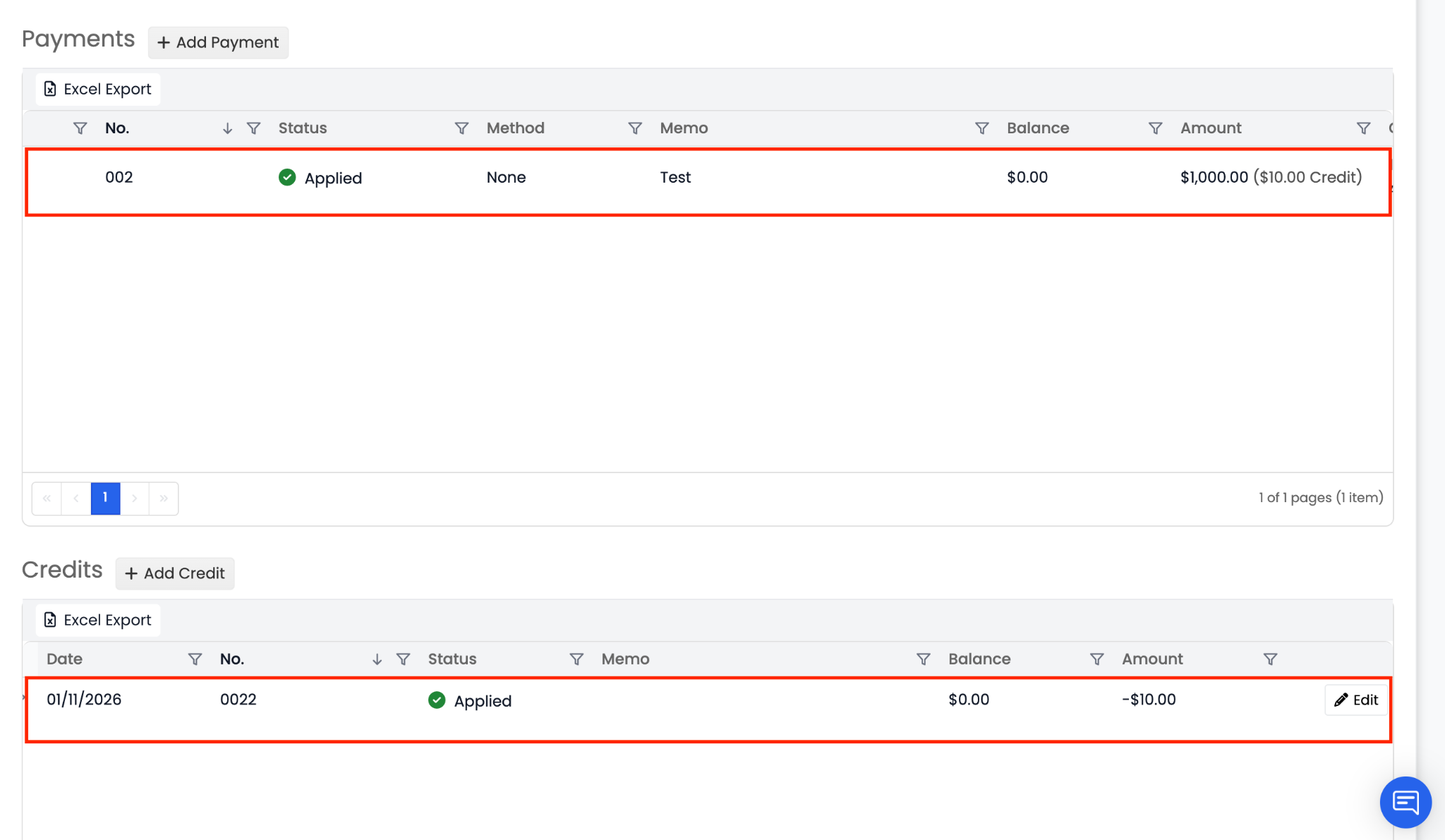
3. That payment is then applied to the invoice.
This means credits always flow through a payment first before affecting an invoice balance.
Understanding this distinction is important, as it explains why credits may not immediately appear on an invoice. This is expected system behavior and helps ensure accurate financial tracking.