
Bulk Actions
You can create a project report by going to:
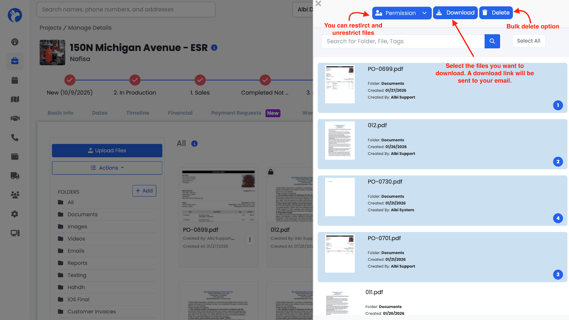
Project → File Manager → Actions → Bulk Actions
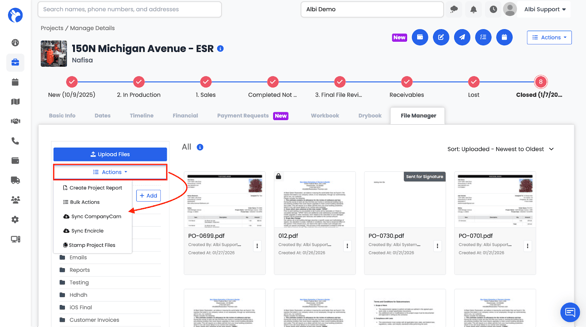
Bulk Actions allow you to:
- Download files in bulk
- Delete files in bulk
- Restrict or unrestrict files in bulk
Large downloads are sent as a download link via email.
Sync Integrations
You can create a project report by going to:
Project → File Manager → Actions →Sync CompanyCam/Encircle
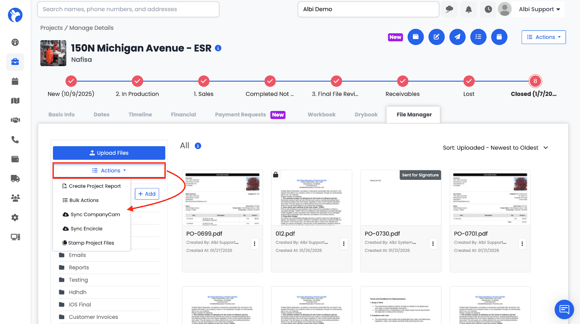
If enabled:
- Sync CompanyCam pulls images from CompanyCam
- Sync Encircle pulls documents and images from Encircle
Note: This is a manual sync option and applies only to the specific project you initiate it from.