
What It Does
DNI dynamically swaps phone numbers on your website based on the visitor's traffic source. When a visitor calls the swapped number, Albi attributes that call to the specific marketing campaign, keyword, or channel that brought them to your website.
Why Use It
- Marketing attribution — Know exactly which campaigns are driving phone calls
- ROAS measurement — Calculate return on ad spend by tracking calls per campaign
- UTM tracking — Captures utm_source, utm_medium, utm_campaign, utm_term, utm_content, and Google Ads click ID (gclid)
How It Works
- You add a DNI JavaScript snippet to your website (provided by Albi)
- When a visitor lands on your website, the snippet calls Albi's API and gets a tracking phone number from the pool
- The snippet swaps all instances of your business phone number on the page with the tracking number
- The visitor calls the tracking number
- Albi routes the call through the normal call flow and logs the call with full marketing attribution data
DNI Whisper for Agents
When a call comes in through a DNI tracking number, your agents will hear a whisper message telling them where the caller came from. Examples:
- "Call from Google Ads" (if the visitor clicked a Google ad)
- "Call from Facebook Organic" (based on UTM source and medium)
- "Call from [referrer domain]" (if a referrer URL is available)
Setting Up a DNI Pool
DNI pools are created via a 4-step wizard in Settings > Phone Numbers > Add Number > Campaign Pool:
Step 1: Tracking — Choose your tracking type:
- All Visitors — Tracks calls from all website visitors regardless of how they arrived
- Google Ads Only — Only tracks visitors who clicked a Google Ad (identified by a gclid parameter). Other visitors will see your regular business number.
Step 2: Setup — Configure the pool name, pool size (4 to 50 numbers), and your preferred area code.
Step 3: Forwarding — Set external forwarding number(s) and the number of rings before forwarding.
Step 4: Done — Review and confirm. Twilio numbers are provisioned automatically.
Editing a Pool
After creation, you can edit a pool using a single scrollable form (not the multi-step wizard). Pool size can be changed after creation:
- Decreasing size — Numbers with no active sessions are released first, then numbers are released by oldest activity
Deleting a Pool
Deleting a pool soft-deletes it and all its phone numbers. The Twilio numbers are released back and become available for reuse.
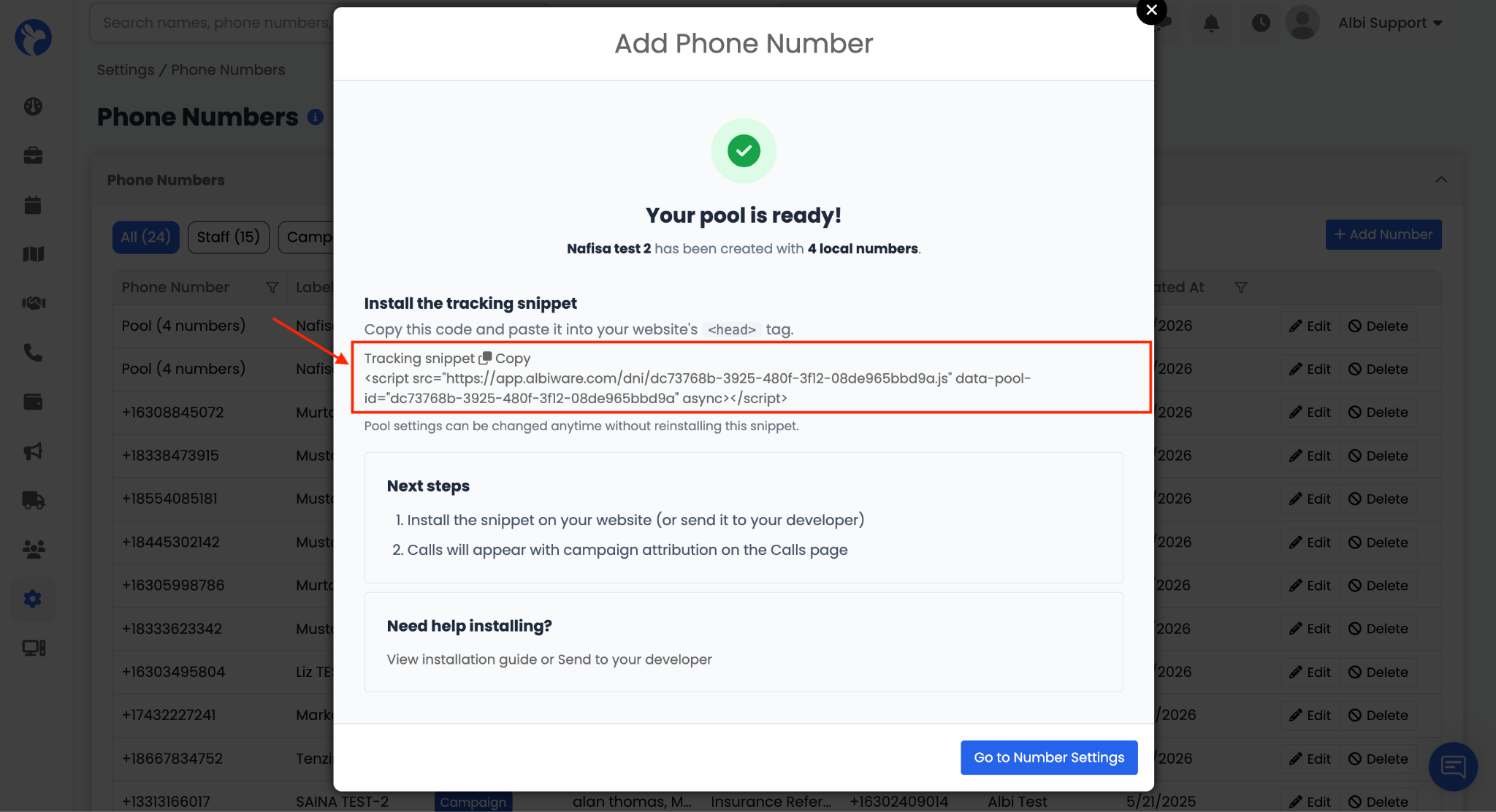
DNI Tracking Snippet
The tracking snippet is a small piece of JavaScript code that you embed on your website. Once installed, the snippet:
- Tracks UTM parameters, referrer URL, landing page, and Google Ads click ID
- Sends a heartbeat every 60 seconds to keep the session alive while the visitor is browsing
- Caches the tracking number in the browser session for instant swap on page navigation
Important: The swap target number configured in Albi must exactly match the phone number displayed on your website. If they do not match, the numbers will not swap.